ManagementQuotas
Create a quota
Add a numeric usage ceiling from the Quotas page.
Create a quota
Use this workflow for organisation, team, user, or API-key usage ceilings.
Open your organisation workspace.
Open Quotas from the sidebar.
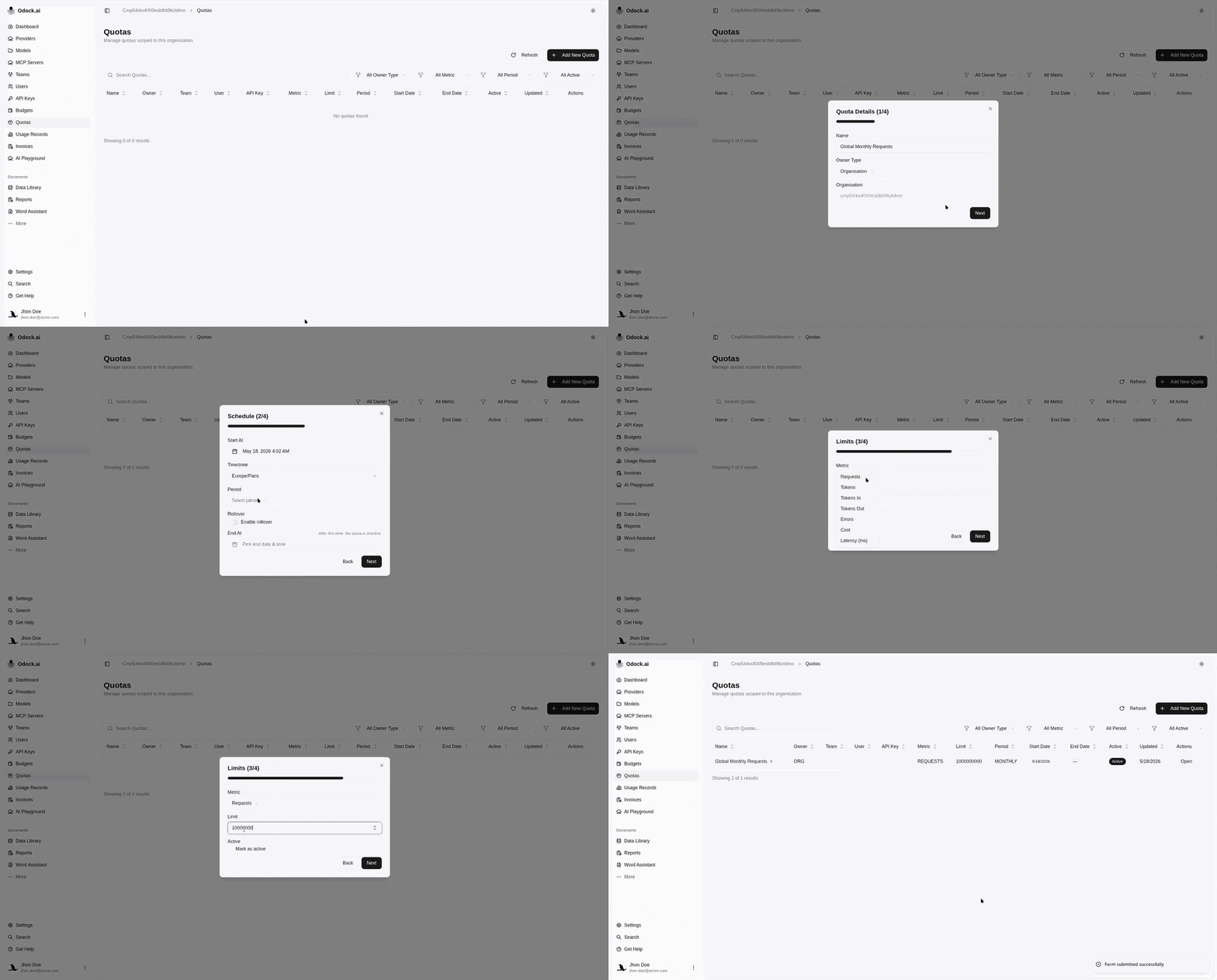
Click Add New Quota.
Enter a quota name.
Choose Owner Type: Organisation, Team, User, or API Key.
Select the team, user, or API key when the owner type requires it.
In Schedule, set start date, timezone, period, rollover, and optional end date.
In Limits, choose the metric.
Enter the numeric limit.
Keep Active checked if the quota should enforce immediately.
Create the quota.