

Invoices
Preview usage costs and export invoice files from the organisation UI.
Invoices
Invoices help organisation users review usage costs from the UI. The page uses usage already recorded by Odock. It does not call the runtime gateway.
Use this page to choose a billing period, narrow the view by team or API key, review the cost summary, and export a CSV or PDF.
Before You Start
Make sure your organisation has usage in the period you want to review.
Make sure model and MCP pricing are configured. If pricing is missing, request counts may appear but costs can be incomplete.
Preview An Invoice
Open your organisation workspace.
Open Invoices from the sidebar.
Choose a Period.
Use a preset such as This month, Last month, or Last 30 days.
For a custom period, choose the start and end dates, then click Apply.
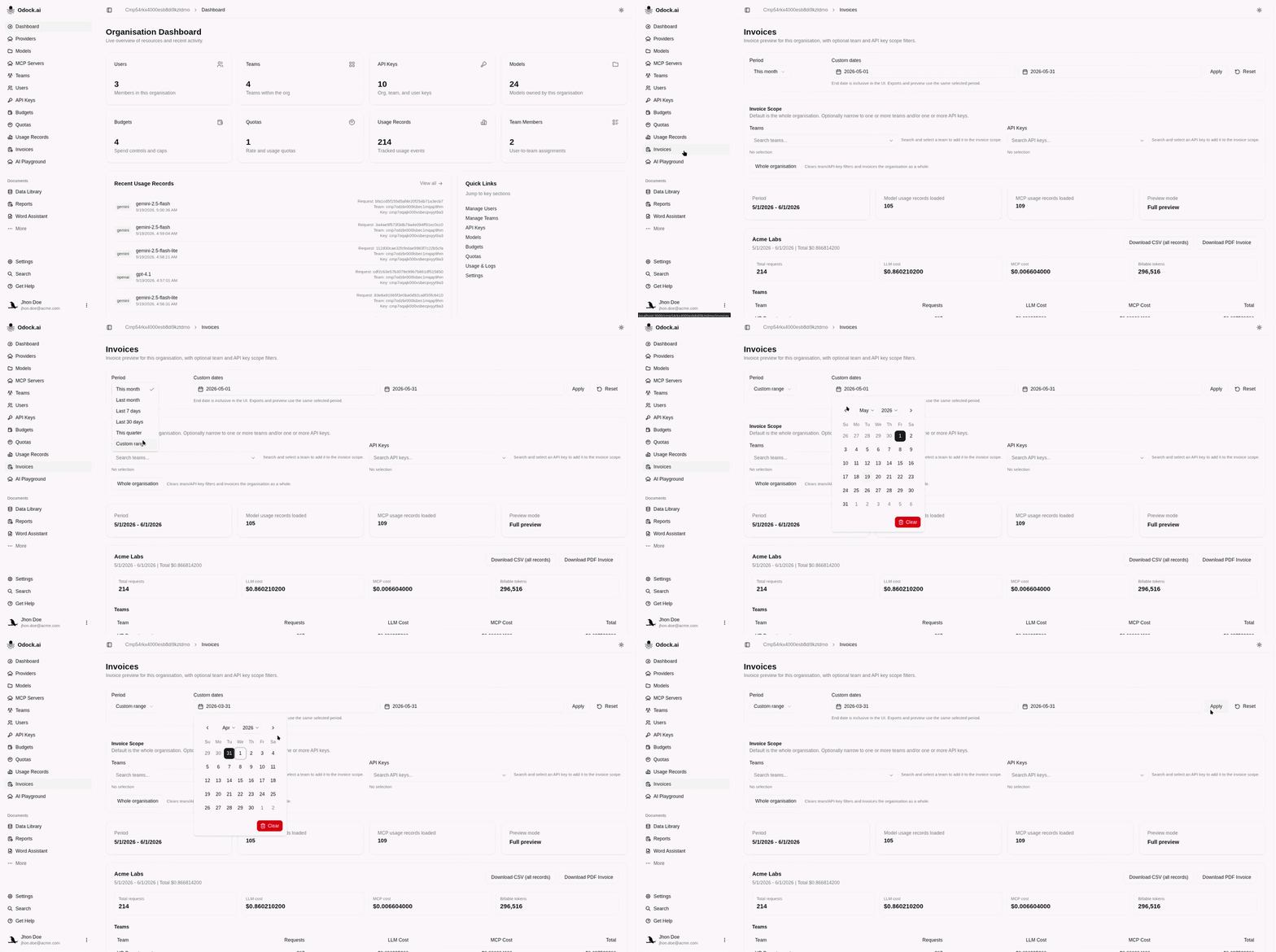
Optional: select one or more teams to focus on team usage.
Optional: select one or more API keys to focus on specific key usage.
Review the summary cards at the top of the page.
Review the tables for team, API key, model, and MCP usage.
Export An Invoice
Set the period and filters you want to include.
Review the preview.
Click Download PDF Invoice for a readable invoice summary.
Or : Click Download CSV (all records) for detailed records.
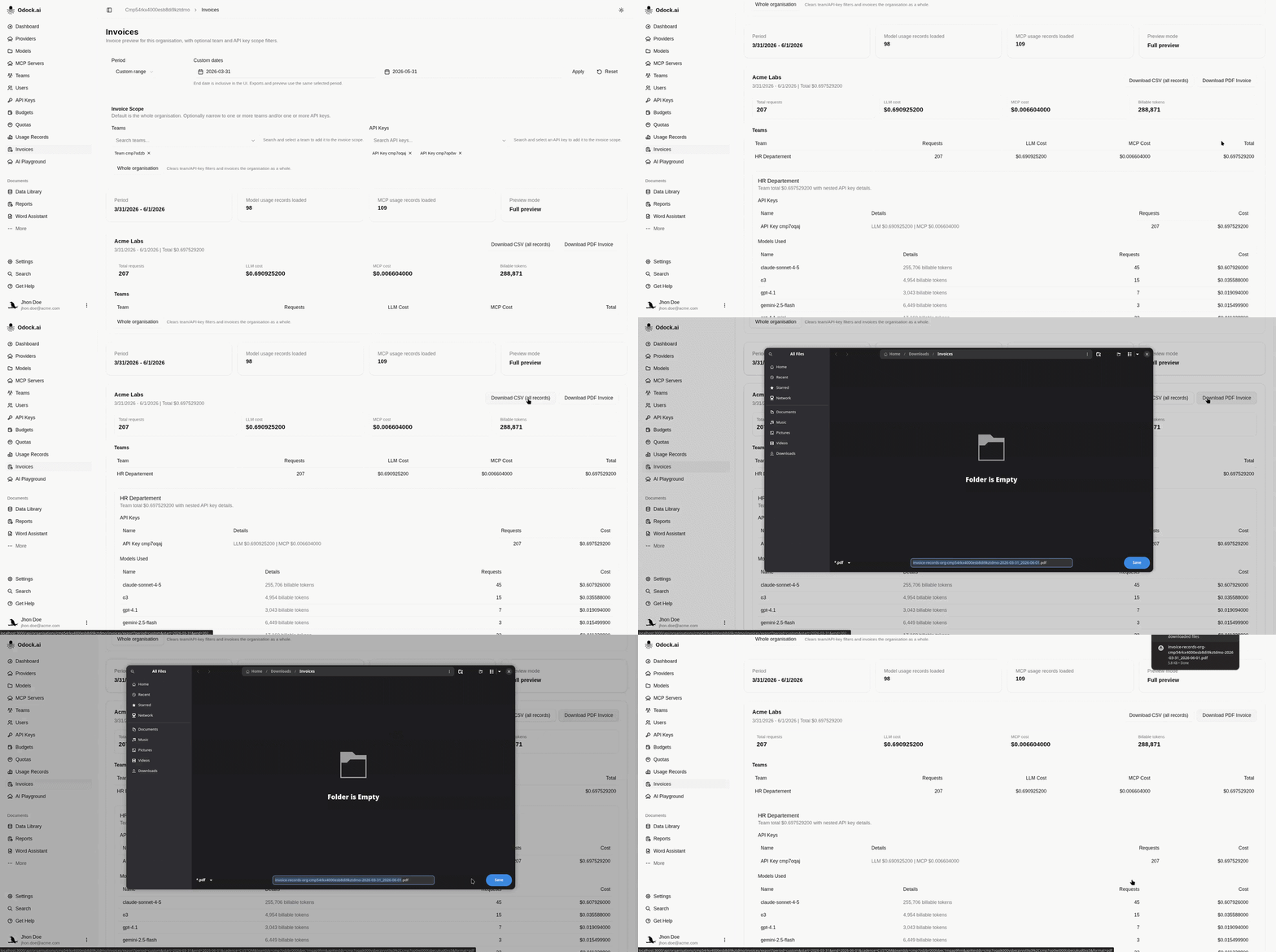
Review the PDF invoice by billable unit.
If Results Look Wrong
If there is no usage, check the selected period first.
If costs are missing or too low, check that model and MCP pricing are configured.
If a team or API key is missing, check that it belongs to your organisation and that you have access to it.