Models & MCPModels
Add a model manually
Create a model record when the catalog does not contain it or you need custom naming.
Add a model manually
Use manual creation when the catalog does not include the model or when you need custom naming.
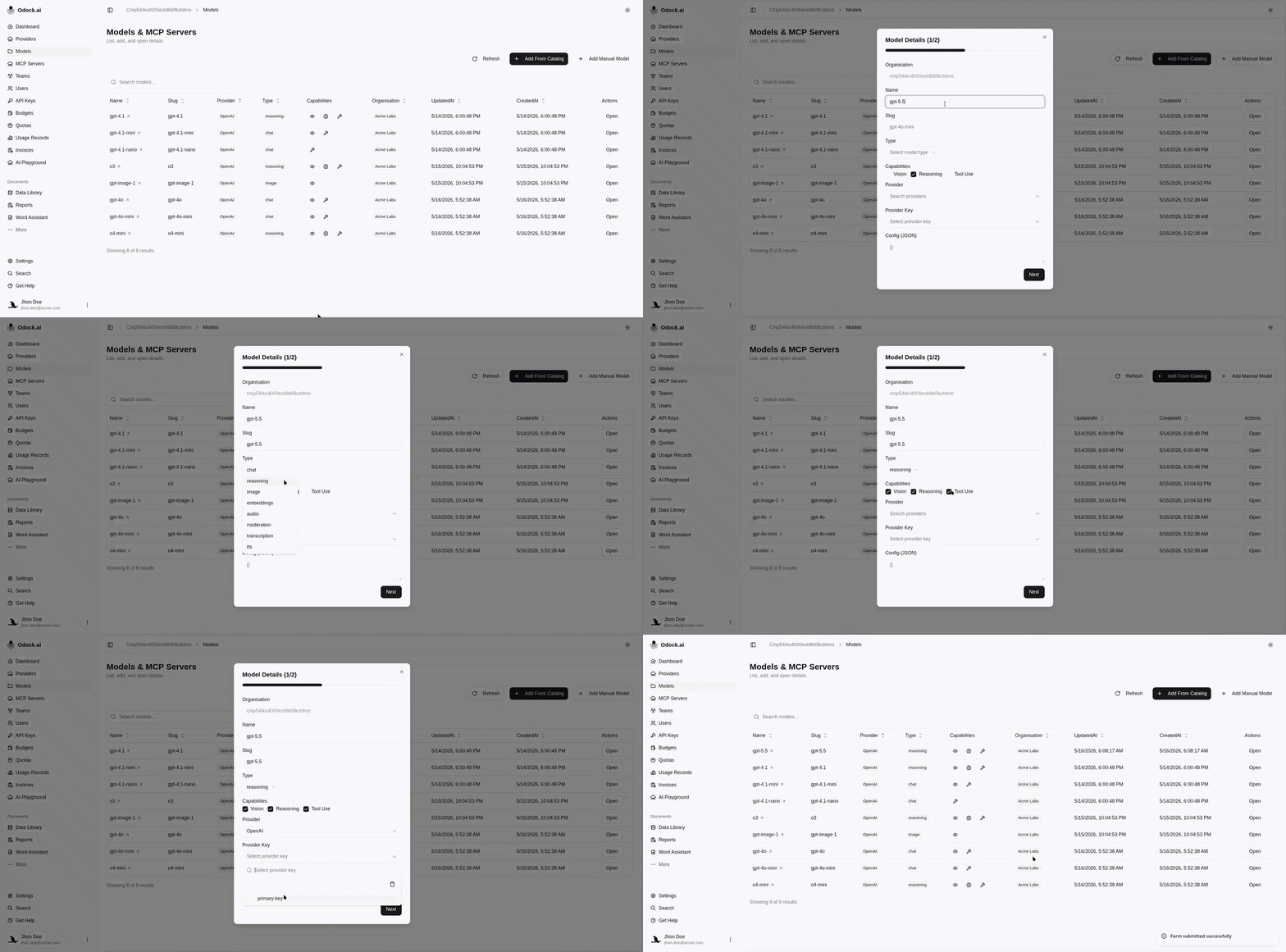
Open Models & MCP Servers.
Click the create action for a model.
Enter Name. This is the value clients pass in the request.
Enter Slug. This is the upstream provider model id.
Select Type.
Select capabilities such as vision, reasoning, or tool use.
Select the Provider.
Select the Provider Key.
Add optional config JSON if your organisation uses custom metadata.
Create the model.