

Models & MCPModels
Add models from the catalog
Create model records from the provider model catalog.
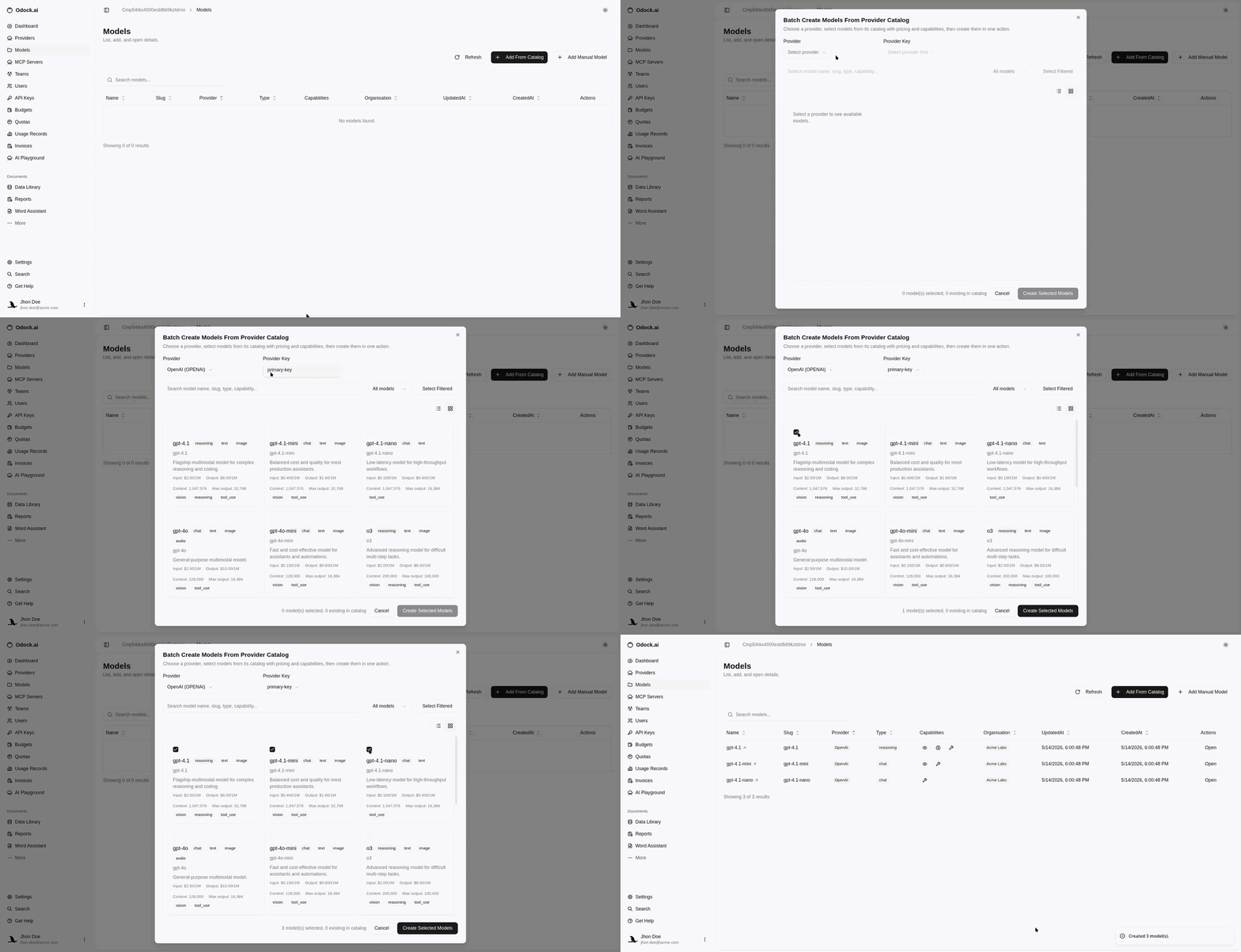
Add models from the catalog
Use the catalog when the model is already listed. The list includes approved Odock Catalog models plus your synced or manually added entries, with duplicates removed. See Automatic Odock Catalog Availability.
Open your organisation in Odock.
Go to Models.
Click Batch Create.
Select the provider key for these models.
Search or filter models by name, slug, type, or capability.
Select the models you want.
Click Create Selected Models.
Created models appear on the provider detail page and in Models & MCP Servers.
If the model is not listed, sync it into your organisation catalog first. See Syncing Into Your Organisation.