

Activate A Flow On One API Key
Pilot a flow on a single API key before rolling it out to the whole organisation.
Activate A Flow On One API Key
Use key-level activation to pilot a flow on one key or apply it only to one application or team.
A key flow runs after the organisation flow at shared phases. See Execution Order.
Build and save the flow in the library first.
Follow Build your first flow if needed. Do not switch Org-wide on unless you want organisation-wide rollout. A flow can be active on one key only.
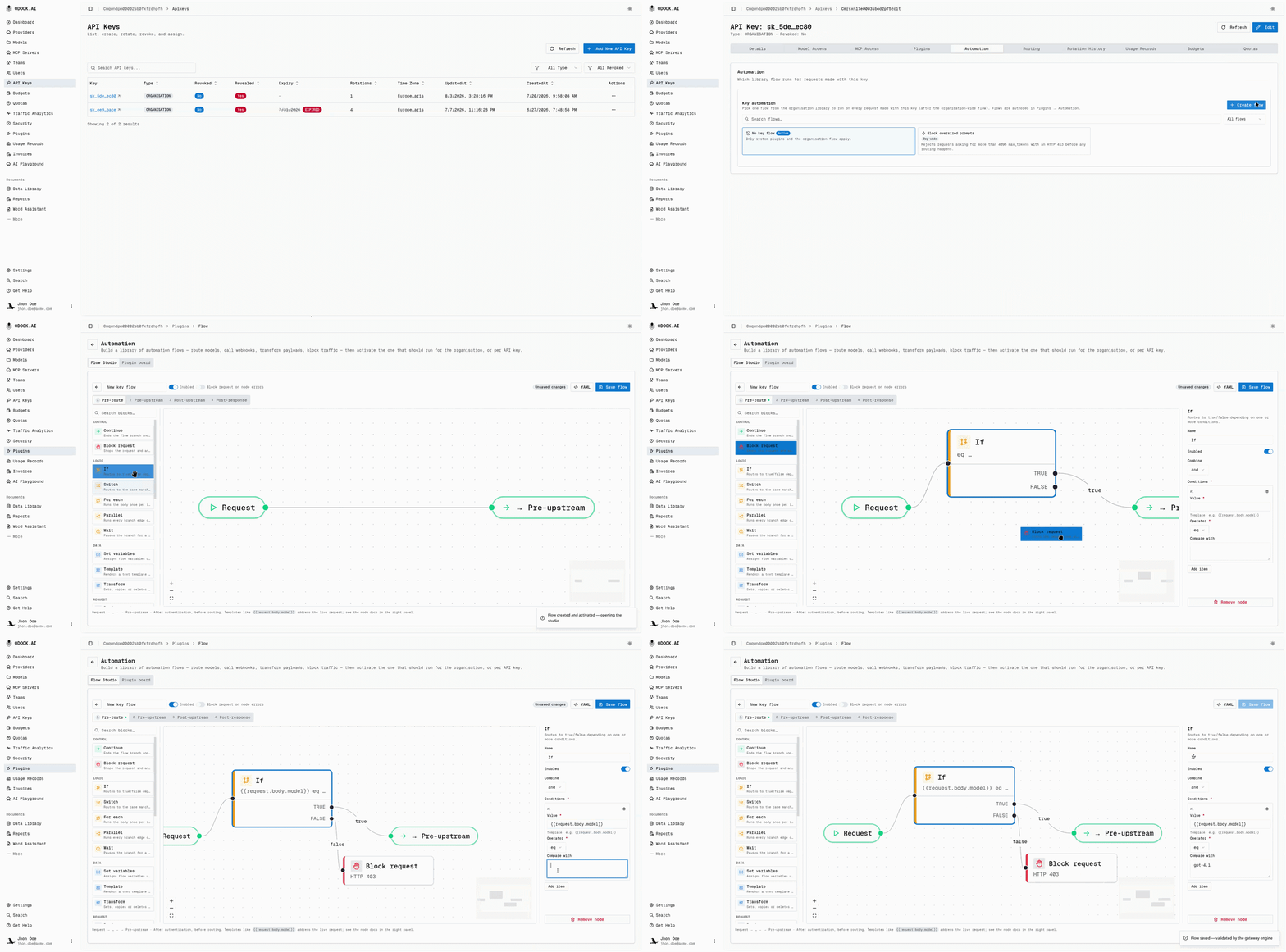
Open the target API key's detail page, then the Automation tab.
This tab lists the flow library and the flow currently active on this key.
Pick the flow to activate.
Only one flow can be active per key. Activating another flow replaces the current one.
Save.
The next request on this key runs the flow.
Send a test request with this specific key, and confirm the behavior you expect.
If the flow uses Run Plugin, confirm the plugin is open to this key through full key access or an organisation-wide grant. A key flow cannot invoke a plugin scoped only to other keys; that step resolves as "not activated".
Clearing An Activation
Return to Automation and clear the selection. The key falls back to the organisation flow, if active, and its own plugin chain.
Next
- Debug a flow run to confirm the key flow actually ran, and in what order relative to the organisation flow.
- Testing & Verification for a broader checklist before widening rollout.