

Security Console
Where to see SafetySec in action — realtime events, threat actors, blocks, and per-organisation policy.
Security Console
The Security Console shows SafetySec decisions operators can investigate and act on. It records every signal, redaction, and block, live and searchable, scoped by role.
Where
Open Security in your organisation (/{organisation}/security). Organisation Admins can access it. MANAGER and USER roles cannot.
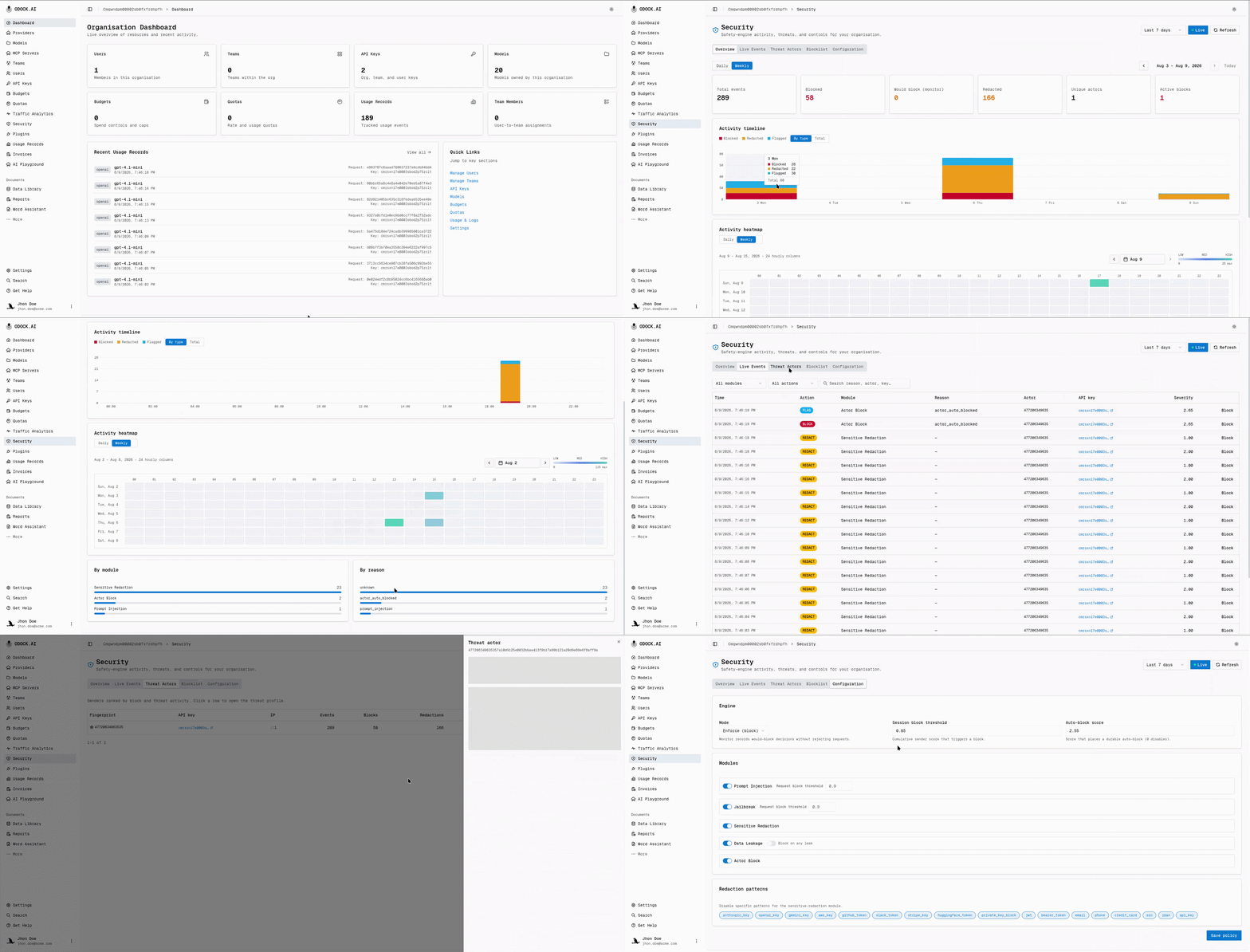
The Five Tabs
| Tab | What it answers |
|---|---|
| Overview | How much safety activity happened, and when? Stat tiles (total events, blocked, would-block, redacted, unique actors, active blocks), an activity timeline with Daily/Weekly navigation, a calendar heatmap, and breakdowns by module and by reason. |
| Live Events | What just happened? A realtime feed of individual signals, redactions, and blocks, filterable by module and action, refreshing automatically while live updates are on. |
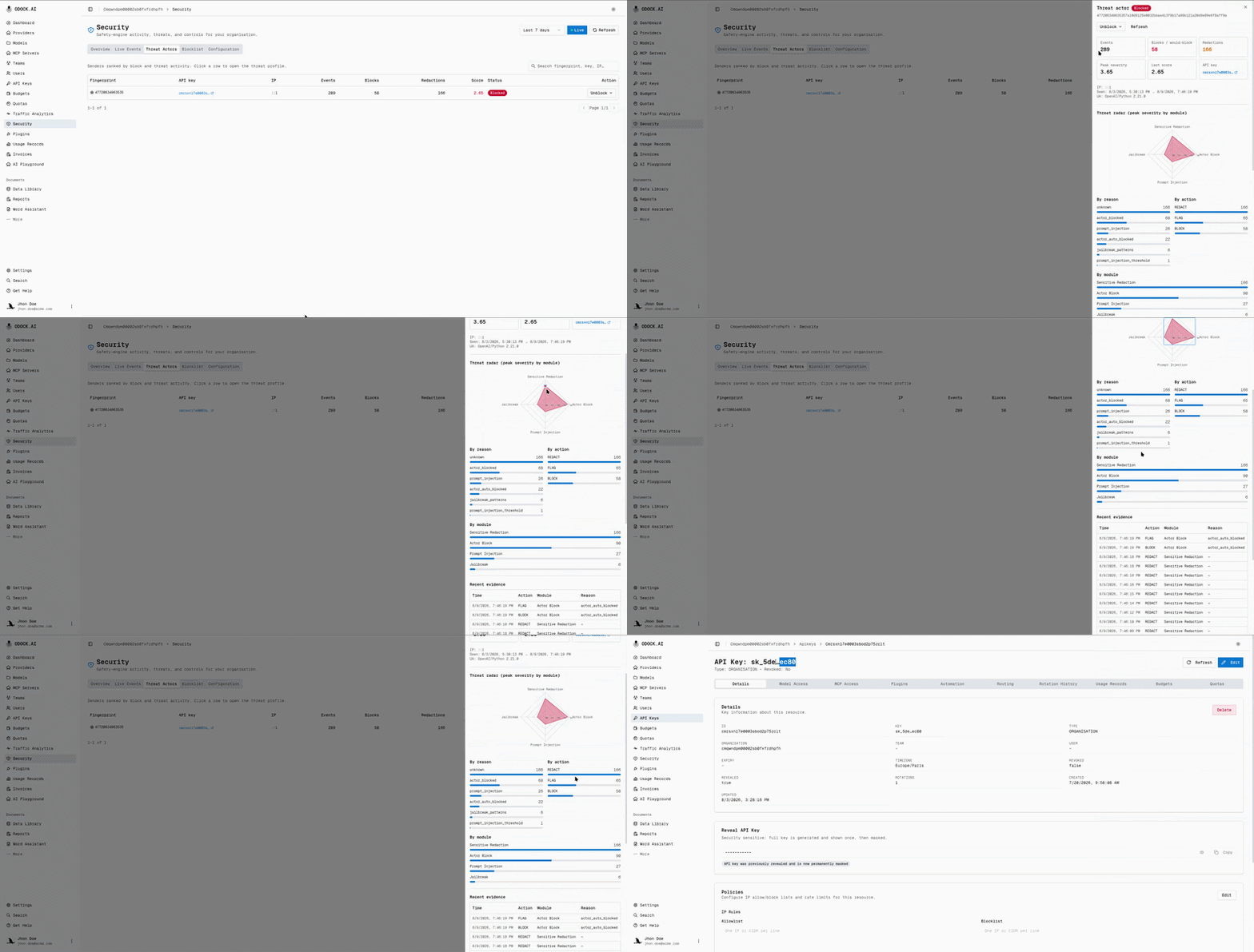
| Threat Actors | Who keeps triggering findings? A per-sender rollup (by fingerprint) of event counts, blocks, redactions, and current risk score, with a detail profile per actor. |
| Blocklist | Who is currently blocked, and why? Every active and historical block, searchable, with add/unblock actions. |
| Configuration | How strict is this organisation? Enforce vs. monitor mode, thresholds, per-module toggles, and which redaction patterns are active. |
A time-range selector (1h / 24h / 7d / 30d) scopes every tab. The Live toggle pauses the realtime feed without losing your place.
Overview
Stat tiles summarize the selected window: total events, blocked, would-block, redacted, unique actors, and active blocks.
The activity timeline switches between By type and Total, and can step by day or week. The calendar heatmap shows activity by day and hour, useful for spotting scheduled attacks versus spread-out traffic.
Live Events
Each row is one signal, redaction, or block decision with module, action, and severity. Filter, search, page results, open the API key, or block the sender directly.
Threat Actors
Threat Actors groups events per sender by stable fingerprint. Repeated behavior appears as a pattern instead of scattered rows. Each actor shows event count, block/redaction history, and current session score.
Open a threat profile to see peak severity by module, reasons, actions, timeline, and recent evidence. Use it to decide whether to block, watch, or ignore.
Blocklist And Configuration
See Blocklist & Threat Actors for how blocks work, and Policy Configuration for enforce/monitor mode and thresholds.
Role Scope
| Role | Can do |
|---|---|
| ORG_ADMIN | View their organisation's events and actors, block or unblock senders, edit their organisation's policy |
| MANAGER / USER | No access to the Security page |
All events and blocks are scoped to your organisation.