

Configure Organisation Policies
Set baseline IP and traffic policies for an organisation.
Configure Organisation Policies
Use organisation policies for baseline guardrails that should apply across organisation traffic.
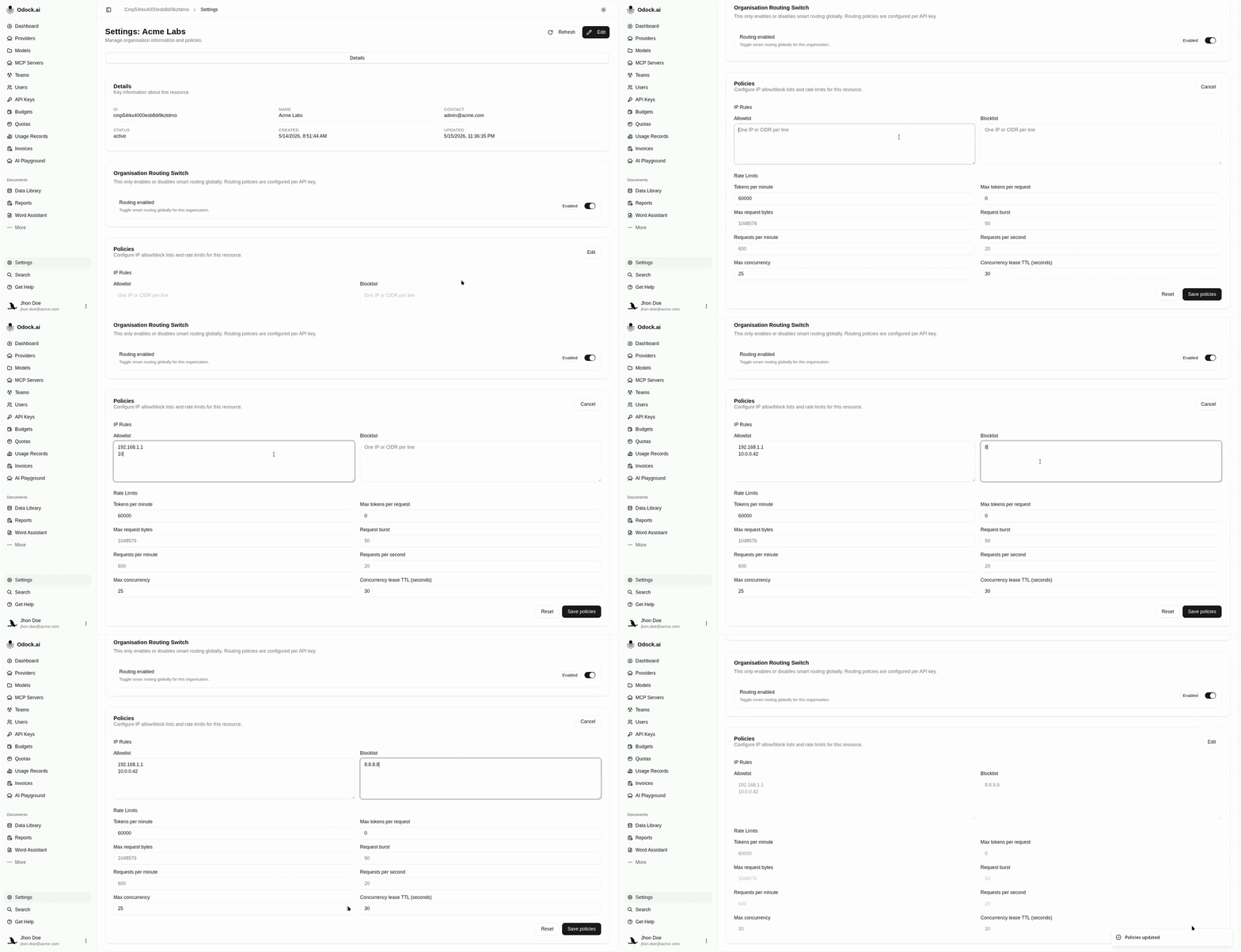
Open your organisation, then go to Settings.
Find the Policies card.
The card contains IP rules and rate-limit fields.
Click Edit.
Add IP rules if traffic should come from known networks.
Use one IP or CIDR per line:
203.0.113.10
198.51.100.0/24
Use allowlists for approved networks. Use blocklists for known-bad networks.
Set baseline traffic limits.
Recommended starting fields:
| Field | Use when |
|---|---|
| Requests per minute | You want a simple organisation-wide traffic envelope. |
| Requests per second | You need a tighter spike limit. |
| Request burst | You allow short bursts but still want smoothing. |
| Max concurrency | You want to protect upstreams from too many simultaneous calls. |
| Tokens per minute | You need a model-usage envelope across token-heavy calls. |
| Max request bytes | You want to reject oversized payloads. |
| Max tokens per request | You want to stop unusually large completions. |
Click Save policies.
Test with an existing API key and resource grant.
If the request is blocked, use Verify enforcement to identify which gate stopped it.
Why This Works
Organisation policies are broad. They become part of the policy snapshot before resource-specific policy is added, so they are a good place for defaults. Use API key, model, or MCP policies for tighter workload-specific limits.
Continue with API key policies.