

Configure MCP Guardrails
Configure MCP access, tool rules, semantic filters, and policy limits.
Configure MCP Guardrails
MCP servers expose tools. Treat tool access as runtime capability access, especially when tools can write data, call paid APIs, or reach sensitive systems.
Open MCP Servers in your organisation.
Open the MCP server detail page.
Review the transport, authentication, enabled status, public flag, team scope, and API key scope.
For transport details, see MCP Servers.
Open the security and access controls.
Confirm whether the server is limited by team scope or API key scope. These controls narrow where the server itself is intended to be used.
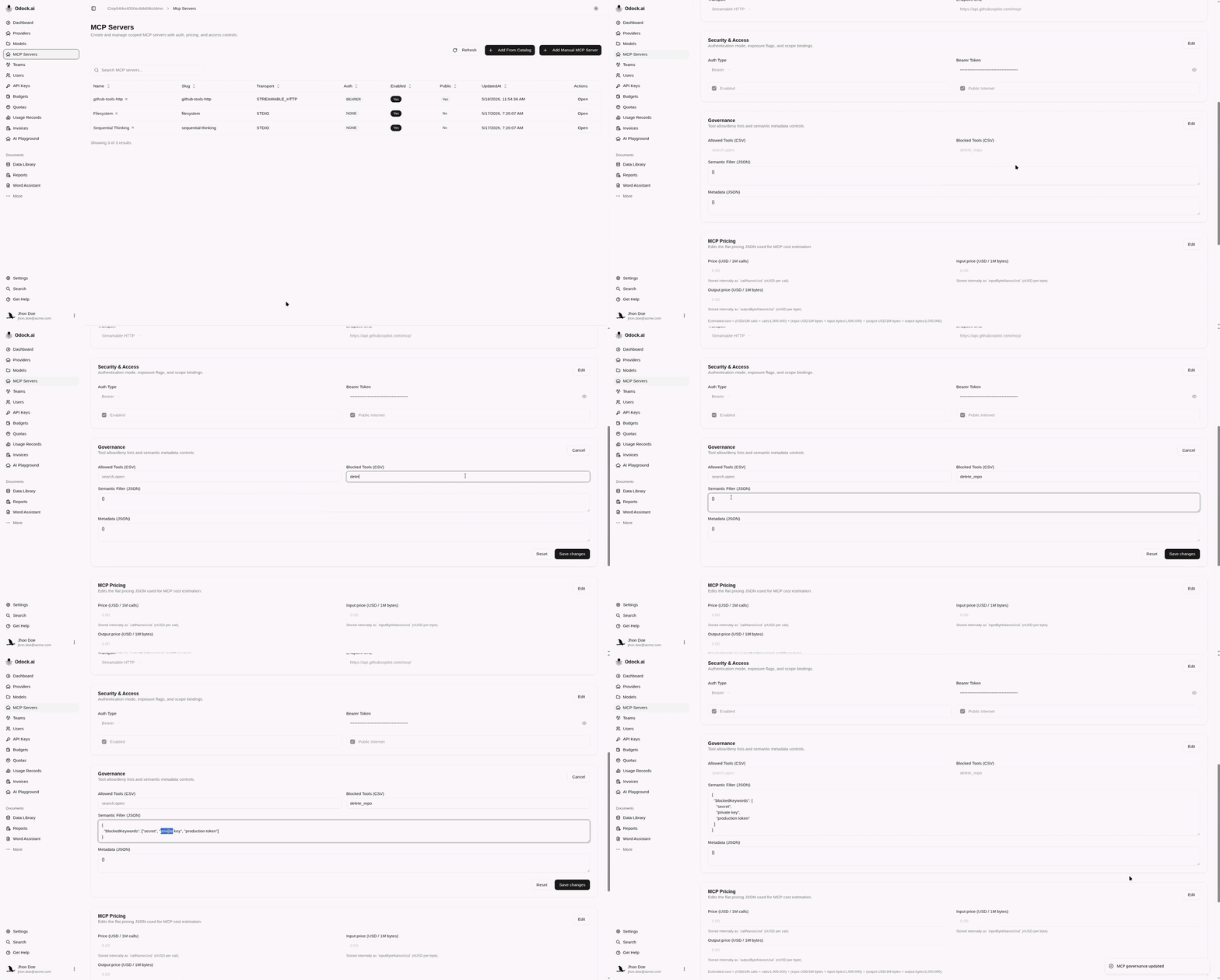
Configure tool governance.
Use Allowed Tools when you want an explicit allowlist. Use Blocked Tools when the server exposes mostly safe tools but a few high-risk ones should be denied.
Example:
Allowed Tools: search,open,list_issues
Blocked Tools: delete_repo,write_file,run_command
Add a semantic filter if needed.
Example:
{
  "blockedKeywords": ["secret", "private key", "production token"]
}
Use semantic filters as a narrow guardrail, not as the only protection for sensitive tools.
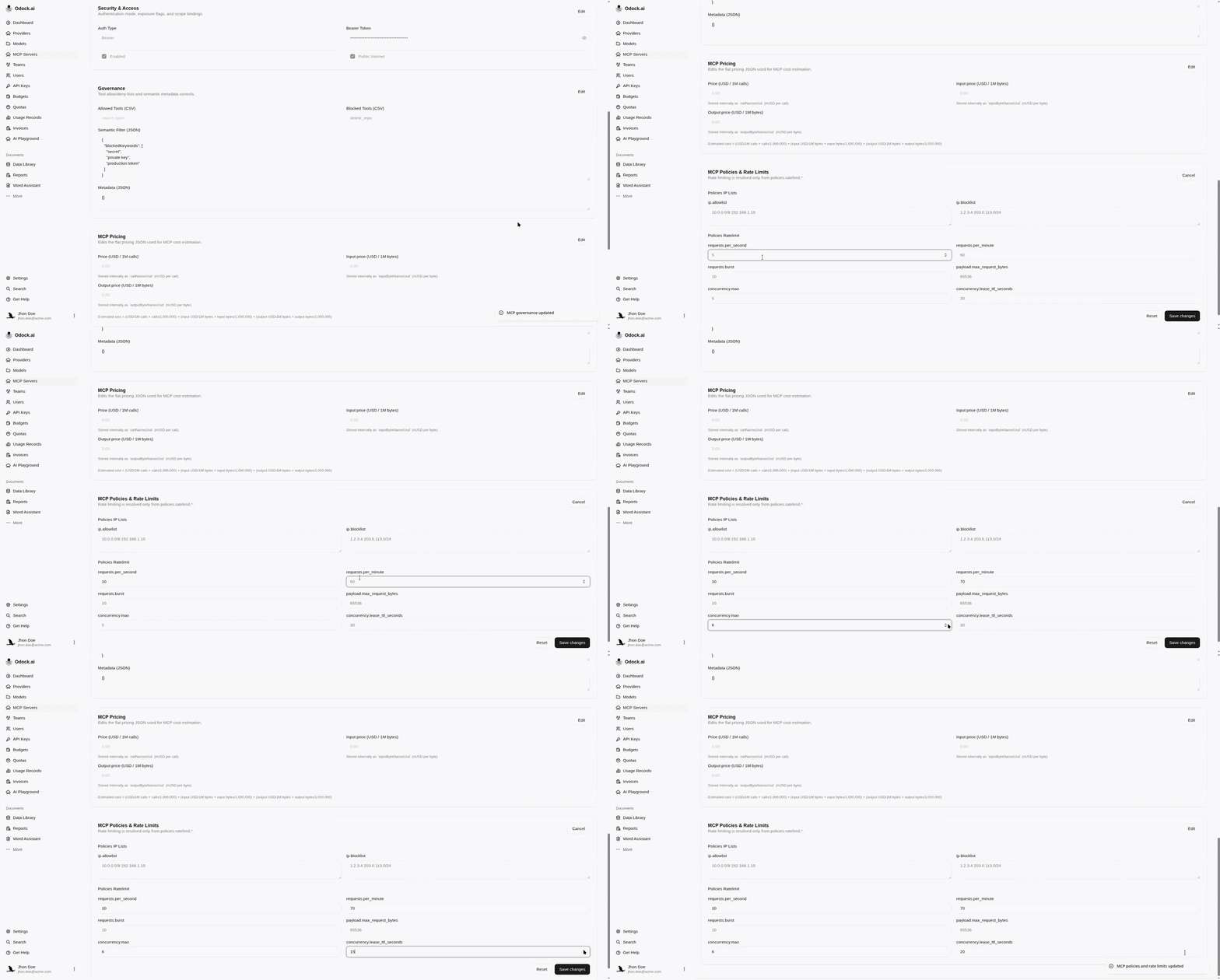
Configure MCP rate-limit policies.
Use the MCP policy/rate-limit card for IP rules, request rates, payload limits, and concurrency. For expensive tool servers, also configure pricing, budgets, or quotas.
Grant MCP access to the API key that should call this server.
The server existing in the organisation is not enough. The key needs an MCP access grant.
See Grant MCP access.
Test a permitted tool and a blocked tool.
The permitted tool should reach the MCP server. The blocked tool should return an MCP guardrail block before upstream execution.
Why This Works
MCP guardrails combine access grants, server scope, transport/auth settings, tool rules, semantic filters, policy limits, and cost controls. Use all of them for high-risk tool servers.
For deeper MCP safety concepts, see MCP Security.