User ManagementOrganisation
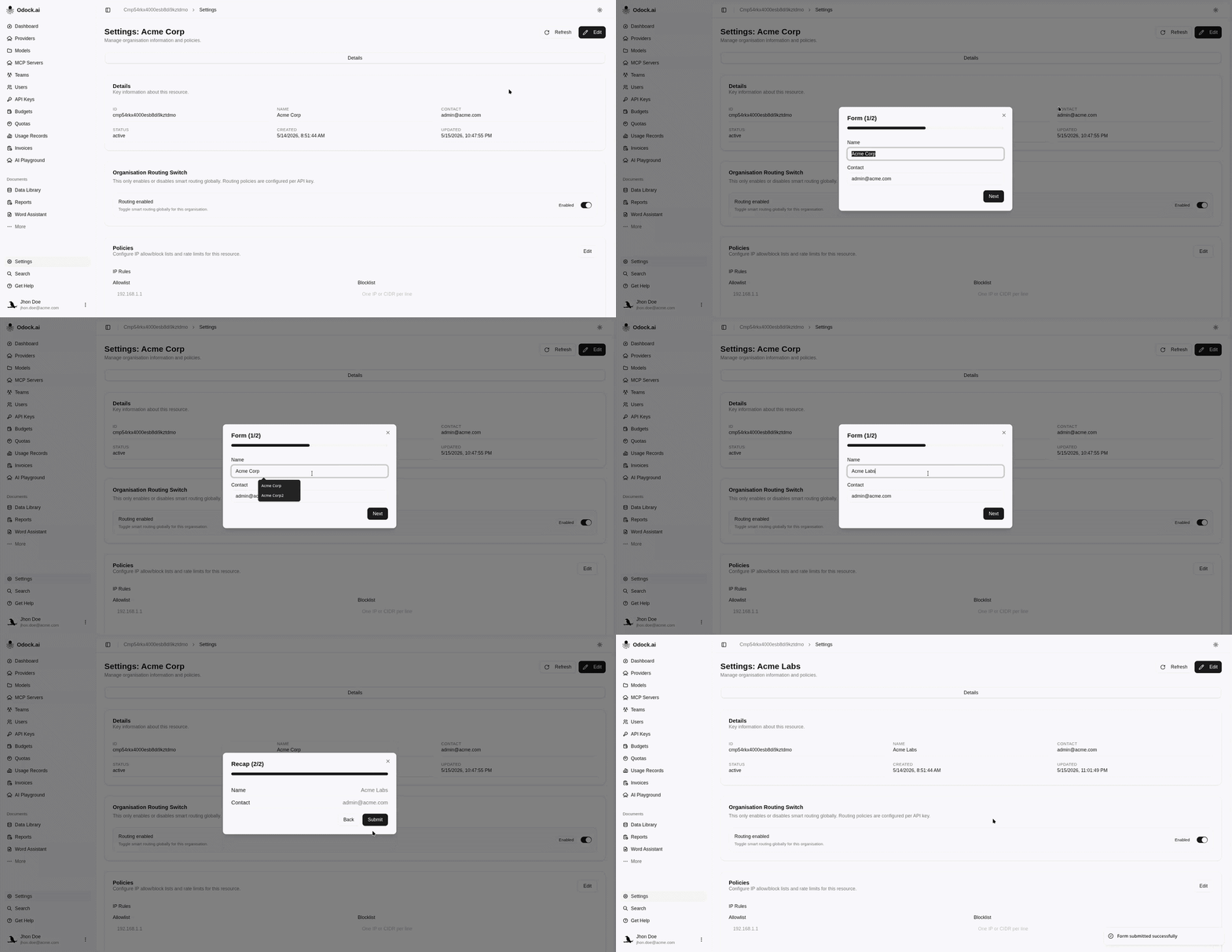
Update Organisation Information
Change the organisation name or contact from the organisation settings page.
Update Organisation Information
Use this workflow when the organisation display name or operational contact needs to change.
Open your organisation workspace.
In the sidebar, click Settings.
Review the current organisation name and contact.
Click the edit action on the settings detail page.
Update Name or Contact.
Click Save changes.
Confirm that the updated values appear on the settings page.
Use the organisation name for a human-readable workspace label. Use the contact field for the team or person responsible for operational coordination.