

Organisation
Understand the organisation workspace, inheritance model, settings, routing switch, and organisation-level policies.
Organisation
An organisation is the main workspace boundary in Odock. It contains the people, teams, models, MCP servers, virtual API keys, cost controls, policies, and usage records that belong together.
Most work starts by choosing the organisation workspace, then using the sidebar to manage Users, Teams, API Keys, Budgets, Quotas, Usage Records, and Settings.
Concept
The organisation is the tenant boundary. It answers:
- Which users belong to this workspace?
- Which teams exist in this workspace?
- Which virtual API keys can be created and owned here?
- Which models and MCP servers are available for governed use?
- Which budgets, quotas, and policies apply at the broadest organisation scope?
- Which usage records should appear in organisation-level reporting?
The organisation does not replace specific scopes. It gives them a shared boundary. Teams, users, and API keys live inside it and add specific ownership or controls.
Inheritance And Scope
Inheritance means layered governance:
- Organisation settings and policies provide the broad workspace context.
- Team scope adds group ownership and team-level attribution.
- User scope adds personal ownership and accountability.
- API key scope controls the actual runtime credential used by applications.
Example: a team-scoped API key belongs to the organisation and a team. Review its traffic under the organisation, team, or key. Team budgets, quotas, key grants, and broader guardrails can all affect it.
For deeper runtime policy behavior, see Guardrails. For model and MCP runtime access, see Models, MCP Servers, and Virtual API Keys.
Settings Page
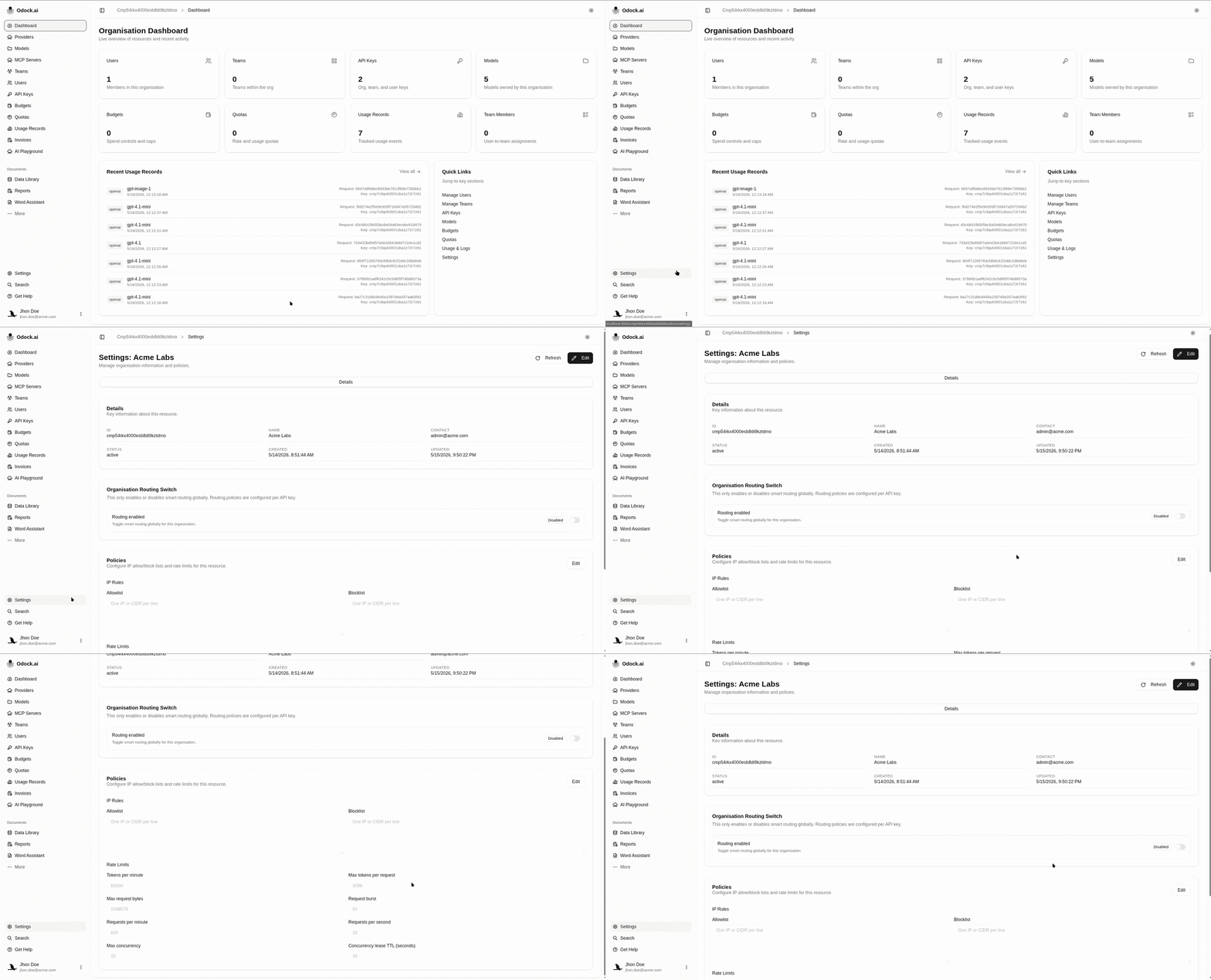
Open Settings from the organisation sidebar to manage profile and broad controls.
The settings page shows:
- ID: the organisation identifier.
- Name: the display name used across the UI.
- Contact: the operational contact for the organisation.
- Status: the current organisation status.
- Created and Updated timestamps.
- Routing enablement: the organisation-level switch that allows smart routing to be used.
- Odock's Model Catalog: per-provider switch for automatic Odock Catalog availability in Batch Create. See Automatic Odock Catalog Availability.
- Policies: organisation-level policy settings.
Tutorials
Operational Checklist
Before inviting many users, review:
- Organisation name and contact are clear.
- Teams exist for the main ownership groups.
- The intended organisation admins and managers are known.
- Budget and quota strategy is decided. See Budgets and Quotas.
- Model and MCP access will be granted through virtual API keys. See Virtual API Keys.
- Usage review expectations are clear. See Usage Monitoring.