

Auto-detect vs one by one
Choose between adding all accessible routing candidates automatically or selecting candidates manually.
Auto-detect vs one by one
The Routing editor gives you two ways to build a candidate list:
- Auto-detect adds the accessible models for the selected model type.
- Add candidate lets you add models one by one.
Both methods only work with models the API key can already access. If a model is missing, grant it under Model Access first.
When To Use Each Method
| Method | Use it when | Tradeoff |
|---|---|---|
| Auto-detect | You want to quickly include every accessible model of the selected type. | Fast, but you must review and remove candidates that should not be used. |
| One by one | You want a controlled list, such as one primary and one backup. | Slower, but safer for production routing plans. |
Auto-detect Flow
Auto-detect is useful when you are setting up routing for the first time or when all models granted to the key are valid candidates.
Open API Keys.
Open the key used by the application.
Confirm the desired models are listed under Model Access.
Scroll to Routing.
Select the model type tab, such as chat or embeddings.
Choose the routing strategy.
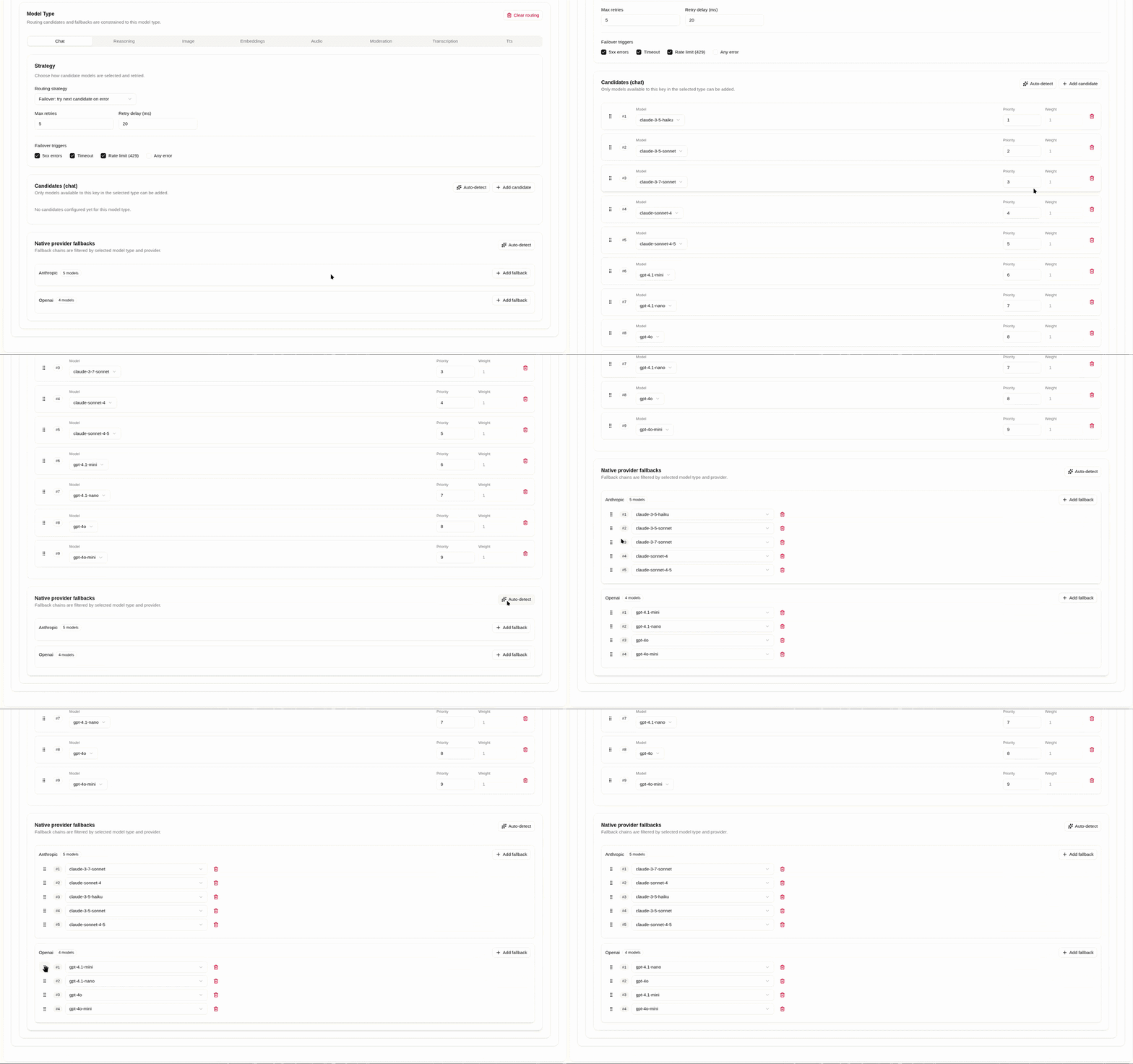
Click Auto-detect.
Review the generated candidate list.
Remove any model that should not receive traffic.
Drag candidates into the intended order.
Wait for the policy to save automatically.
One-by-One Flow
Add candidates one by one when the routing plan should be explicit and minimal.
Open API Keys.
Open the key used by the application.
Scroll to Routing.
Select the model type tab.
Choose the routing strategy.
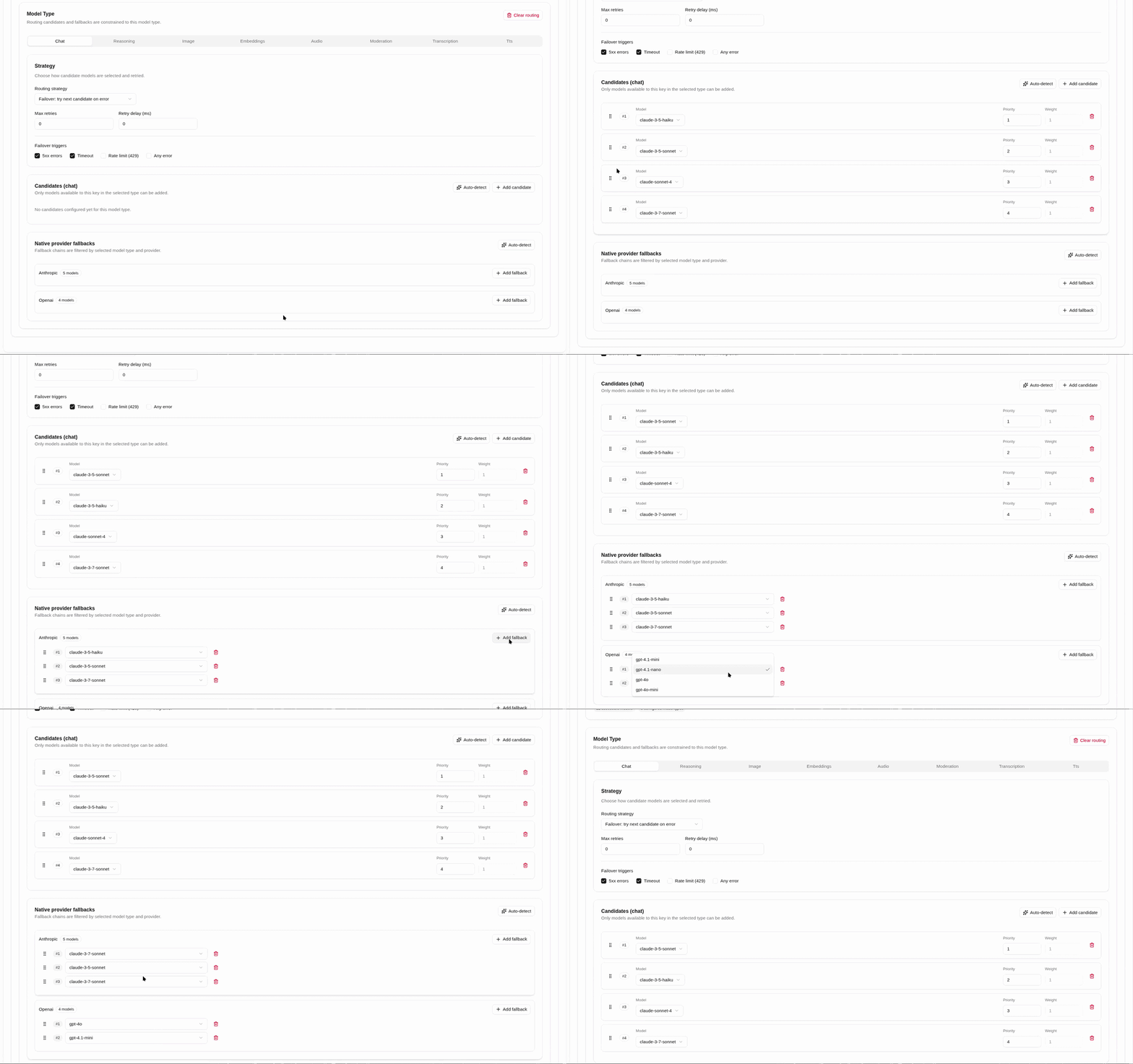
Click Add candidate.
Choose the first model from the candidate selector.
Repeat Add candidate for each additional model.
Drag candidates into priority order.
Set max retries and failover triggers so Odock only moves to the next candidate when intended.
Wait for the policy to save automatically.
Recommended Production Pattern
For production failover, prefer one-by-one selection:
- Add the primary model.
- Add one backup model.
- Enable
5xxandtimeoutfailover triggers. - Add
rate_limitonly if an upstream/provider rate-limit error, such as HTTP429, should move traffic to backup. Hererate_limitis the routing failover trigger for a failed attempt, not Odock quota enforcement or API-key rate-limit policy enforcement. - Keep Max retries aligned with the number of backups.
Use Auto-detect for discovery, staging, or when every granted model is intentionally eligible for routing.
What To Check After Either Method
- Candidate models are the same model type.
- Candidate models are granted under Model Access.
- Candidate order matches your routing strategy.
- Native fallbacks stay inside the provider family when using native endpoints.
- Usage Records show the expected direct or rerouted behavior after test traffic.