

ManagementRouting
Monitor routing
Inspect routing attempts in usage records.
Monitor routing
Usage records show whether a request was direct or rerouted and which candidates were attempted.
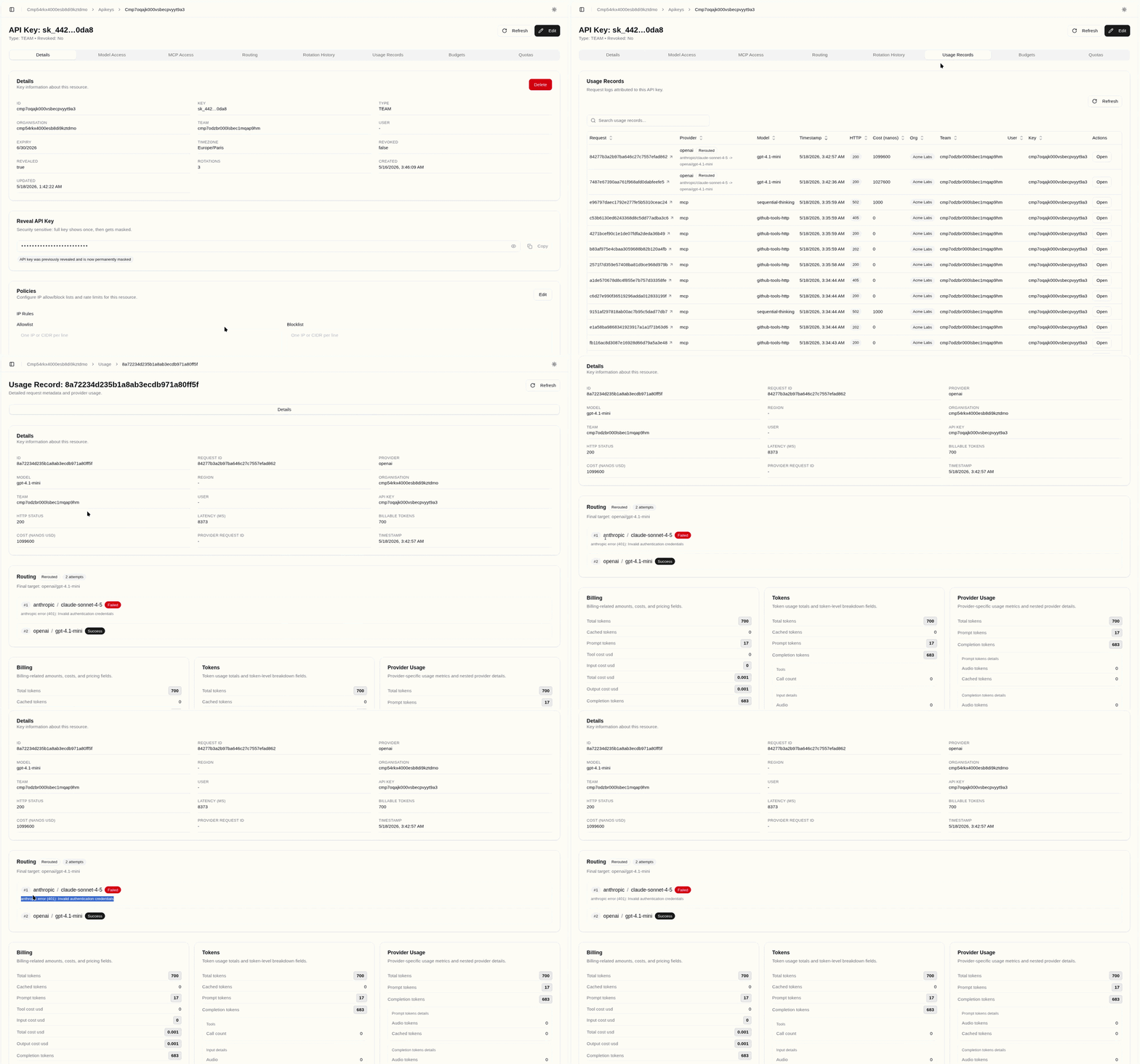
Open Usage Records.
Filter by API key, model, provider, or time window.
Open a usage record.
Review the Routing card.
Check whether the request is marked Direct or Rerouted.

Review attempt count, final provider, final model, and any attempt errors.
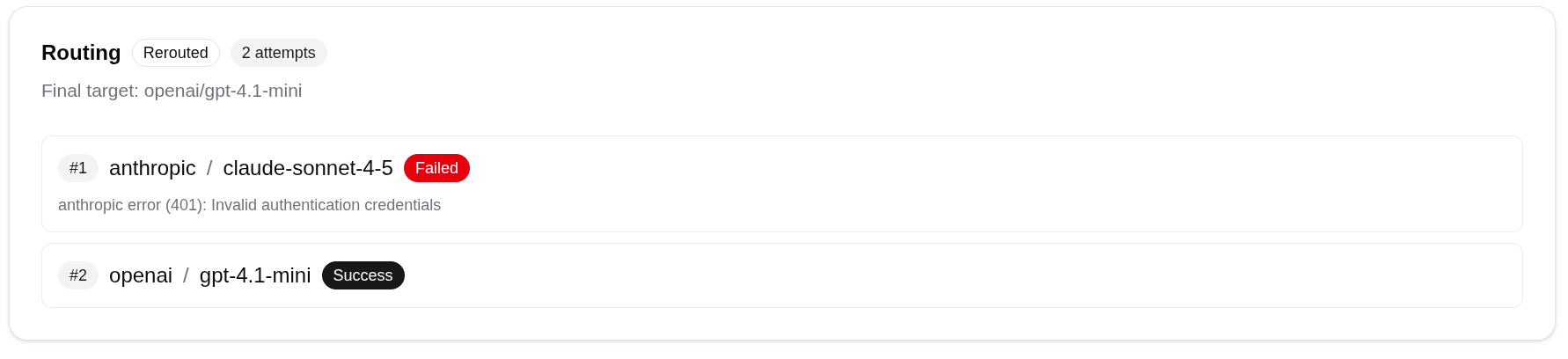
Compare routing behavior with latency and cost.
What To Investigate
| Observation | Possible cause |
|---|---|
| No routing card | Routing was not used or no routing trace was recorded. |
| Direct request | Organisation switch off, no key policy, or first candidate succeeded. |
| Many attempts | Provider failures, timeouts, upstream/provider 429 rate-limit errors, or retry settings too broad. |
| Higher latency | Additional candidates were attempted before success. |
| Unexpected final model | Candidate order or native fallback configuration differs from expectation. |