Add MCP manually
Create a custom MCP server record from endpoint or STDIO settings.
Add an MCP server manually
Use manual creation when the server is not in the trusted catalog or when you need custom settings.
Before creating a custom server, review the transport and security model:
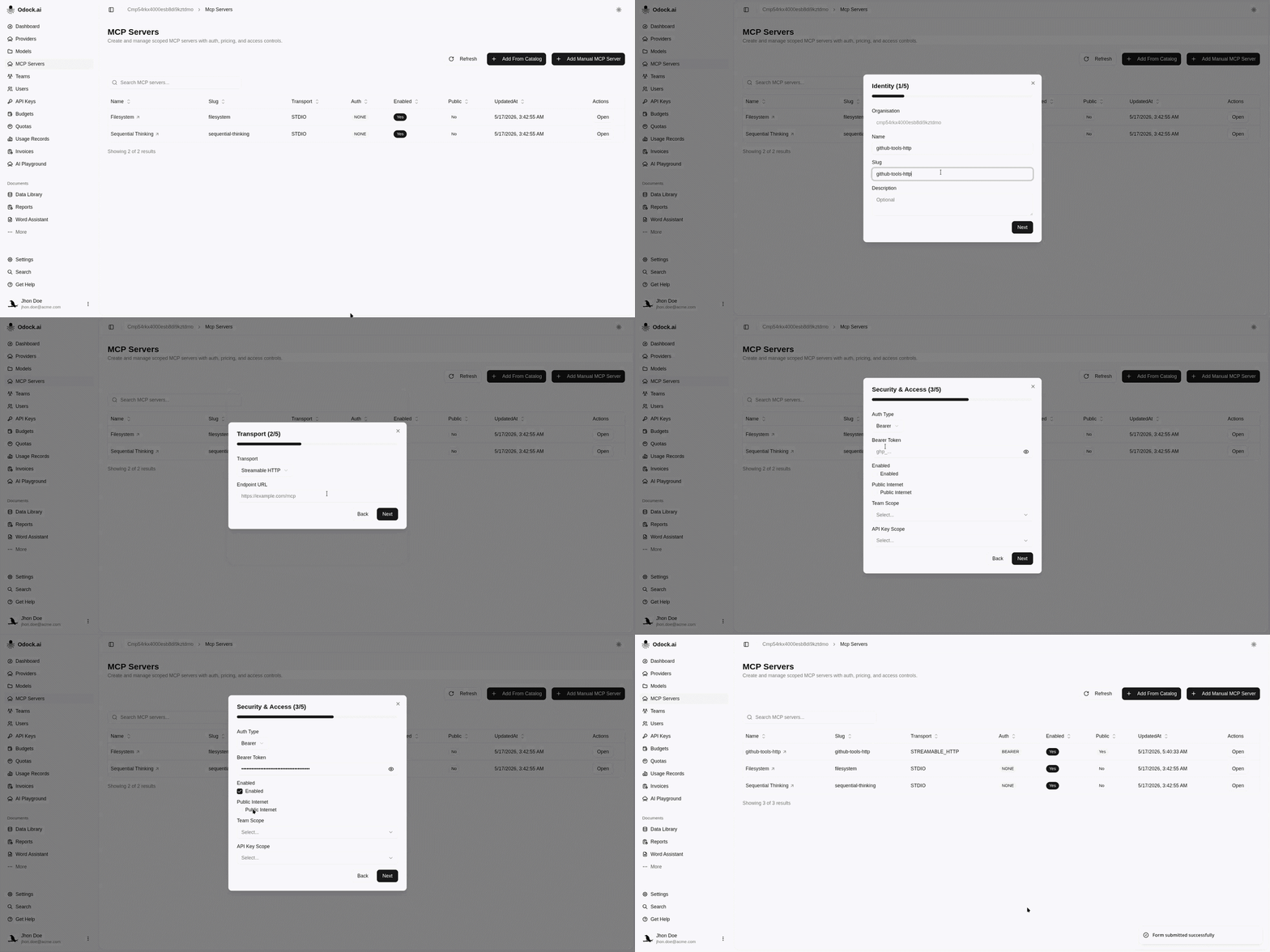
Open MCP Servers.
Click the Add Manual MCP Server button.
In Identity, enter Name, Slug, and Description.
Name is the human-readable label shown in the UI. Slug must be unique in the organisation and is used in gateway calls such as /v1/mcp/{slug}.
In Transport, choose STREAMABLE_HTTP, SSE, or STDIO.
Use Streamable HTTP transport for HTTP MCP services, SSE transport for streaming services, or STDIO transport for local command-based servers.
For HTTP or SSE, enter the endpoint URL.
For STDIO, enter the command, args, and optional environment JSON.
In Security & Access, choose the upstream auth type.
See MCP authentication for NONE, BEARER, BASIC, and OAUTH2 config examples.
Enter auth config JSON if the auth type requires it.
Set Enabled.
Set Public Internet if the server is publicly reachable.
Optionally choose Team Scope or API Key Scope.
Use these only when the MCP server itself should be restricted to a narrower context. See MCP security.
In Governance, enter allowed tools, blocked tools, semantic filter JSON, and metadata.
For guidance on allowed tools, blocked tools, and semantic filters, see MCP security.
Create the server.