Models & MCPMCP Servers
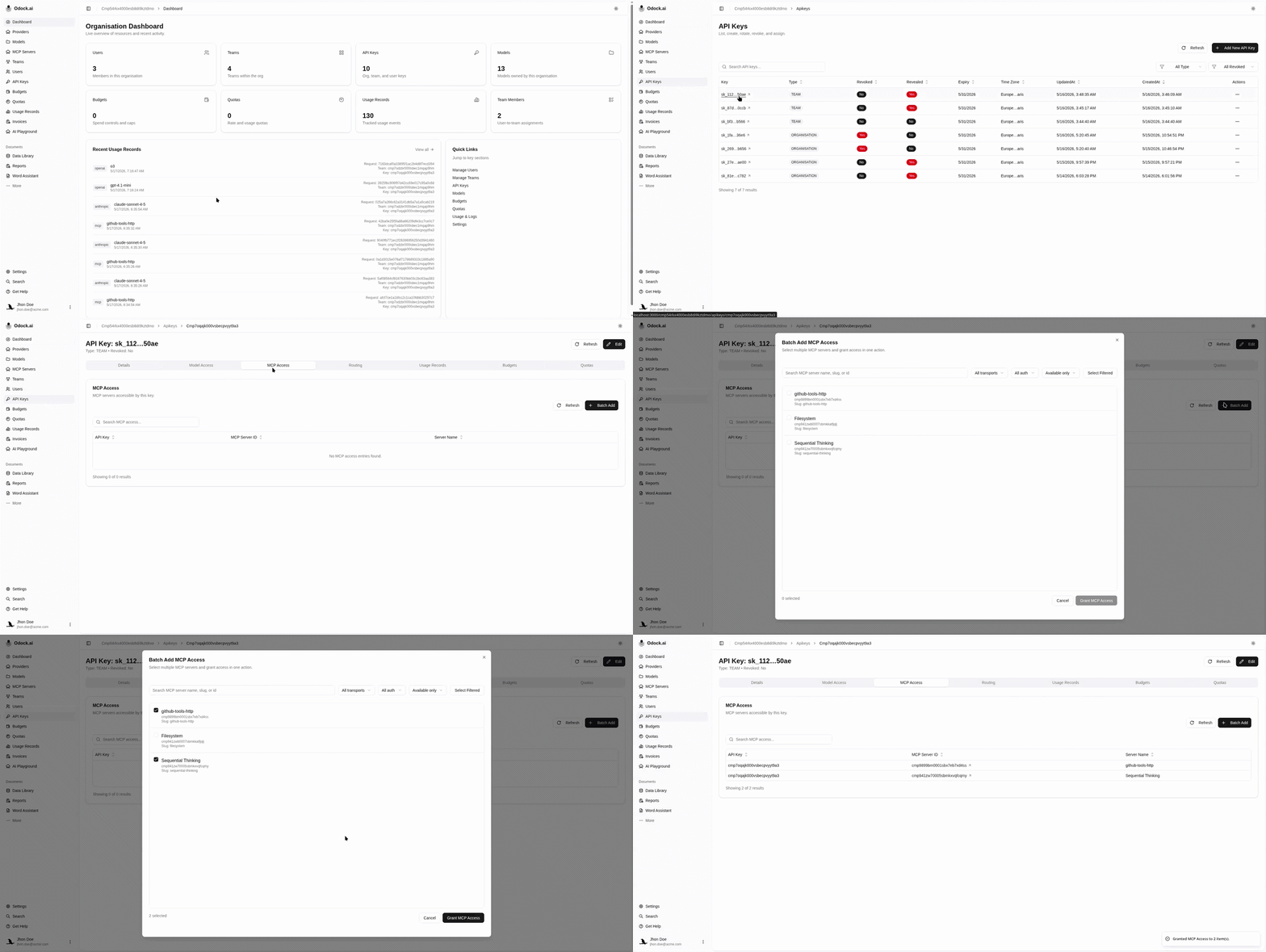
Grant MCP access to an API key
Allow a virtual API key to call one or more MCP servers.
Grant MCP access to an API key
Use this workflow when starting from the API key.
For how MCP access grants fit with scopes and tool rules, see MCP security.
Open API Keys.
Open the virtual API key used by your app or agent.
Find MCP Access.
Click Batch Add.
Search for MCP servers by name, slug, id, transport, or auth type.
Filter by transport or auth if needed.
Select one or more MCP servers.
Click Grant MCP Access.