Models & MCPProviders
Activate a provider
Activate an upstream provider from the organisation provider catalog.
Activate a provider
Use this workflow when the provider appears in the organisation provider catalog.
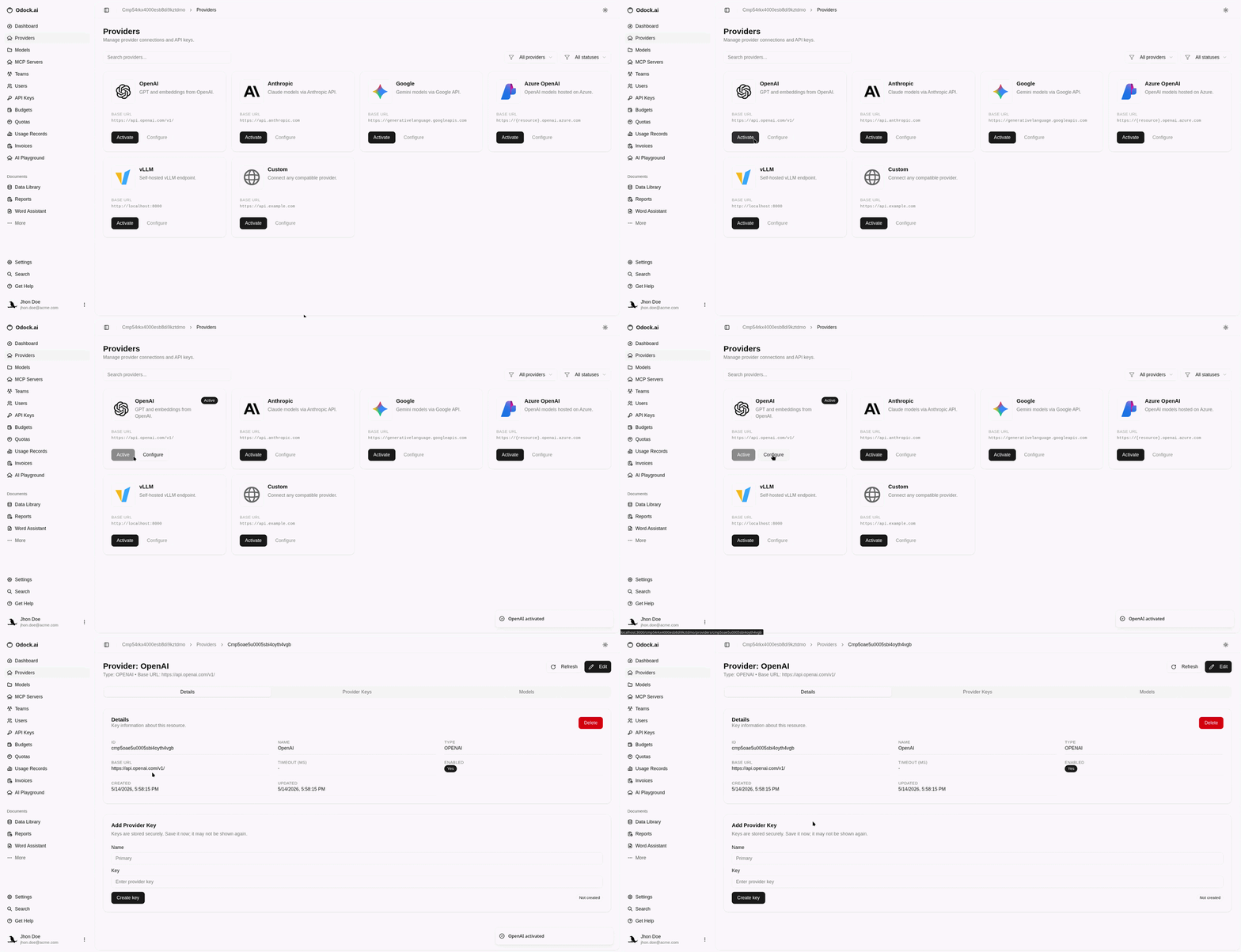
Open your organisation in Odock.
Go to Providers.
Search or filter the provider catalog.
Find the provider you want, such as OpenAI, Anthropic, Google, Azure OpenAI, vLLM, Mistral, or Custom.
Click Activate.
After the provider is active, click Configure.