

Models & MCPProviders
Add models from a provider
Batch create model records from the provider detail page.
Add models from a provider
After creating the provider and provider key, create models for that provider.
Open the provider detail page.
In the Models section, choose Batch Create.
Select the provider key.
Search the model catalog by model name, slug, type, or capability.
Use filters such as All models, New only, or Existing only.
Select one or more models.
Click Create Selected Models.
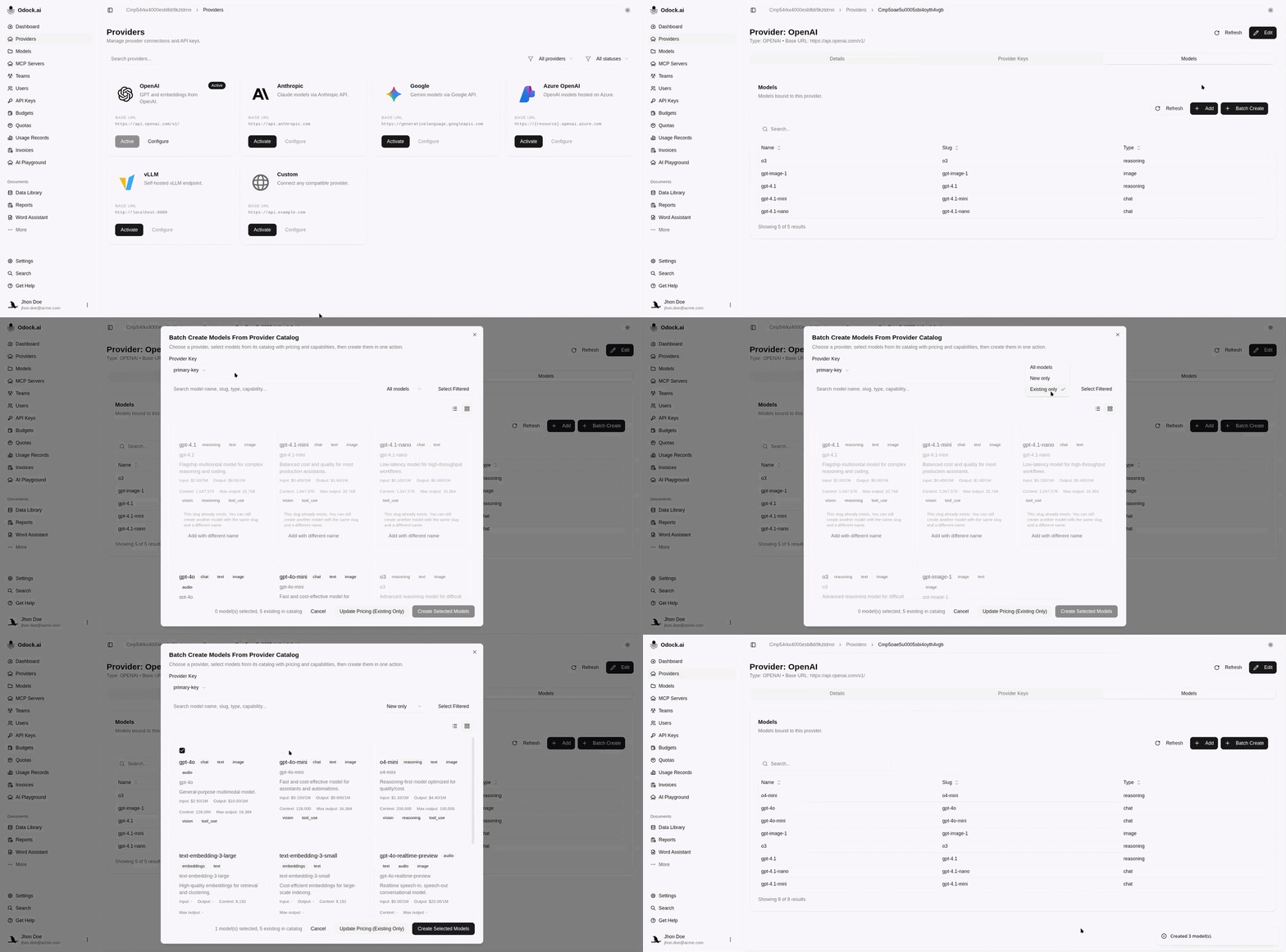
Batch Create imports metadata such as type, capabilities, context, and pricing when available. If a model name collides with an existing record, create it with the same upstream slug and a different Odock model name. See Add a variant model.