

ManagementVirtual API Keys
Grant MCP access
Allow a virtual API key to call configured MCP servers.
Grant MCP access
Use this workflow when an application needs governed tool access through Odock MCP endpoints.
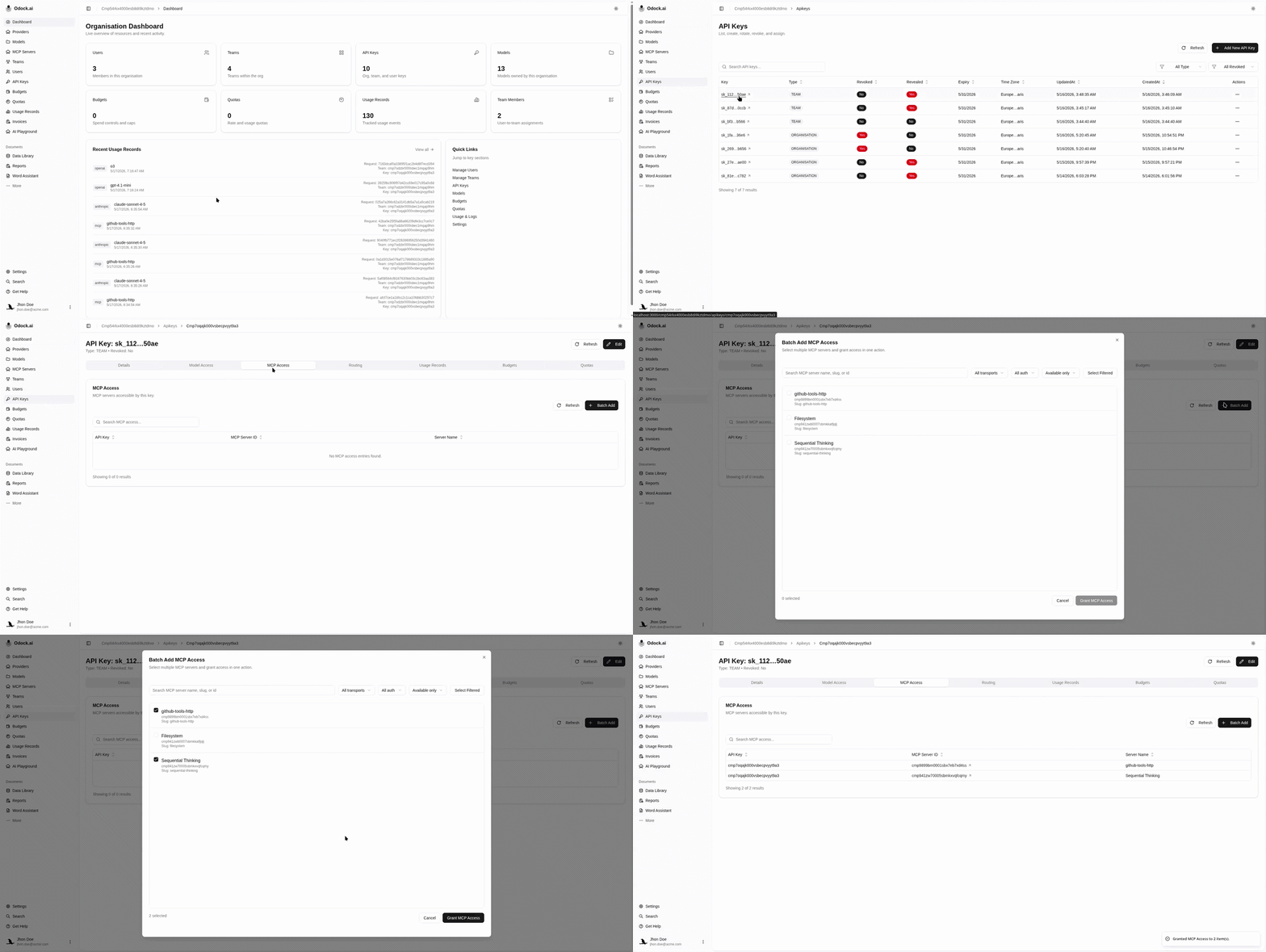
Open API Keys.
Open the key used by your application or agent.
Scroll to MCP Access.
Use the MCP access action to add servers.
Search for the MCP server by name, slug, transport, or id.
Select one or more MCP servers.
Confirm the grant.
Verify the selected servers appear in the MCP Access table.
Related Pages
For MCP transport, authentication, tool allow/block lists, pricing, and security behavior, see MCP Servers.