User ManagementTeams
Add A Member
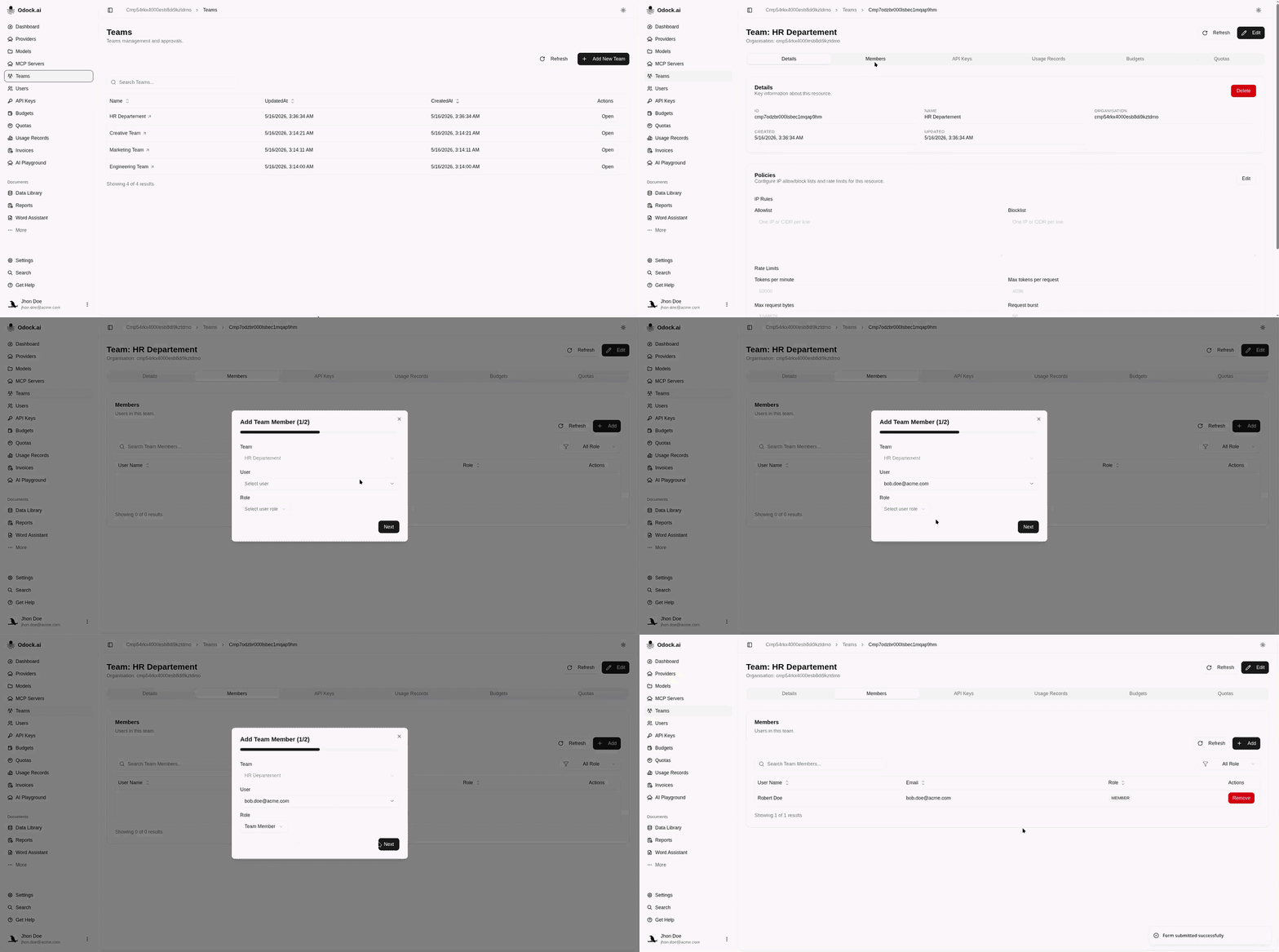
Add a user to a team from the team detail page.
Add A Member
Team membership should reflect operational responsibility. Use Team Manager for people who should manage or supervise the team. Use Team Member for normal participation.
Open Teams.
Click Open on the target team.
In the Members section, click the add action.
Choose the User.
Choose the role: Team Manager or Team Member.
Click Add Member.
Confirm the user appears in the Members table.