User ManagementTeams
Create A Team
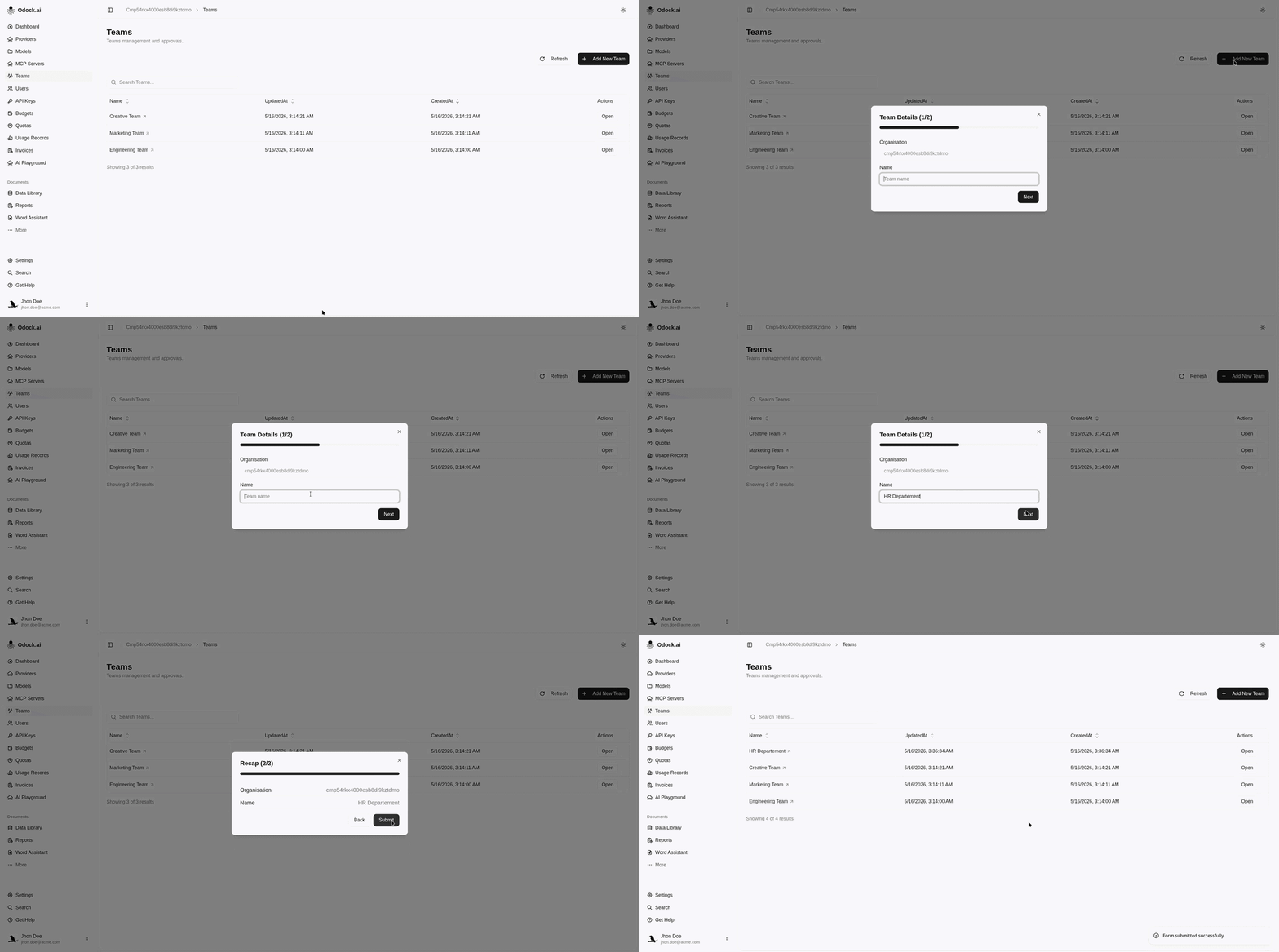
Create a team from the Teams page.
Create A Team
Use names that match real ownership, such as Engineering, Support, Data Platform, or Customer Agents. Avoid creating teams only for temporary access exceptions; use scoped API keys, budgets, or quotas for those cases.
Open your organisation workspace.
Click Teams in the sidebar.
Click Add New Team.
Confirm the organisation field is set to the current organisation.
Enter the team Name.
Click Create Team.
Confirm the team appears in the teams list.