User ManagementTeams
Remove A Member
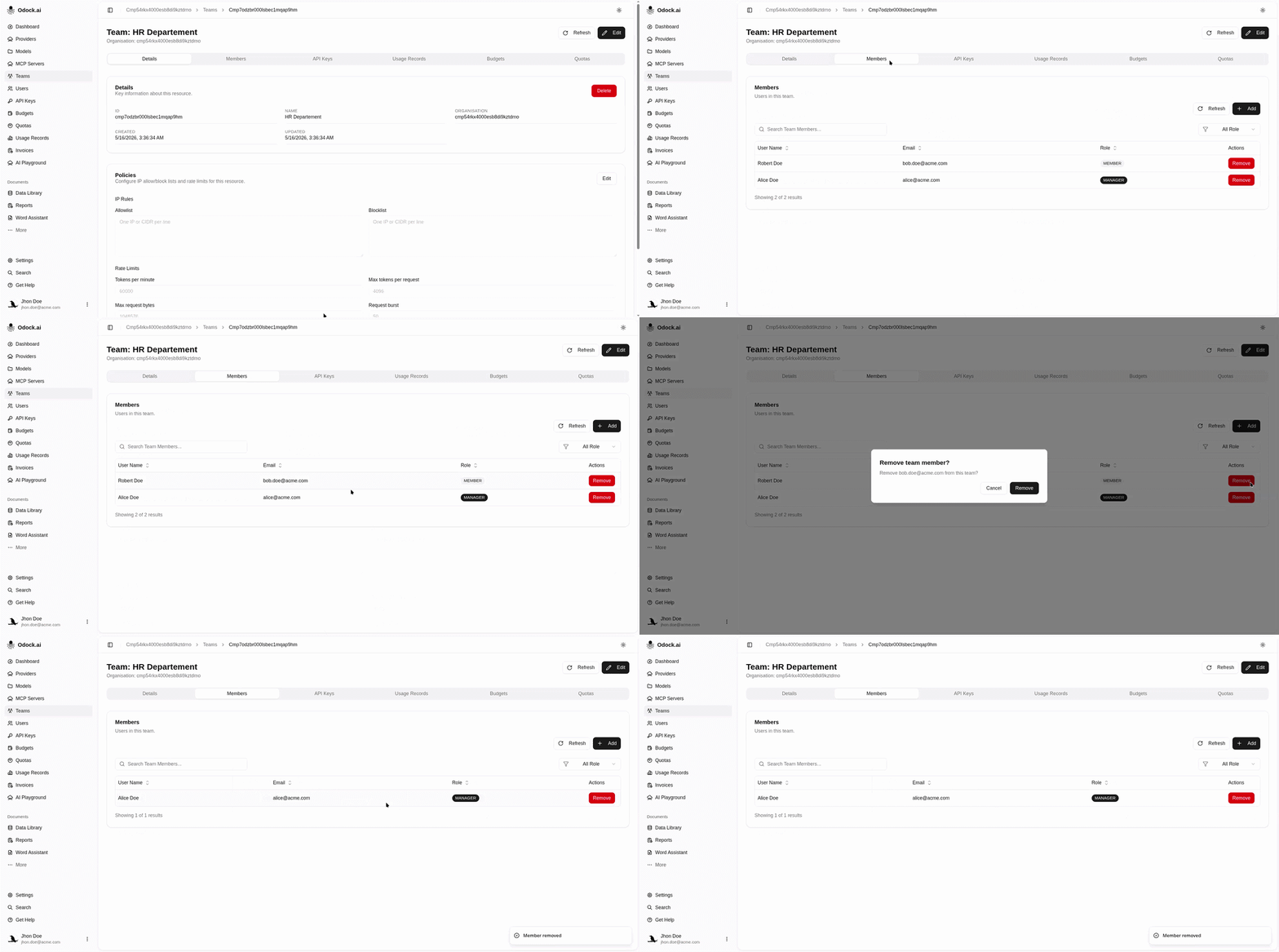
Remove a user's membership from a team.
Remove A Member
Removing a member removes that team relationship. It does not automatically remove the user from the organisation, and it does not automatically revoke API keys. Review user-owned and team-owned keys if the membership change is part of an offboarding process.
Open the team detail page.
Find the user in the Members section.
Click Remove.
Confirm the removal in the dialog.
Refresh the section if needed and confirm the user is no longer listed.