

ManagementBudgets
Monitor a budget
Review consumption windows and requests counted against a budget.
Monitor a budget
Budget monitoring connects window-level consumption with request-level usage records.
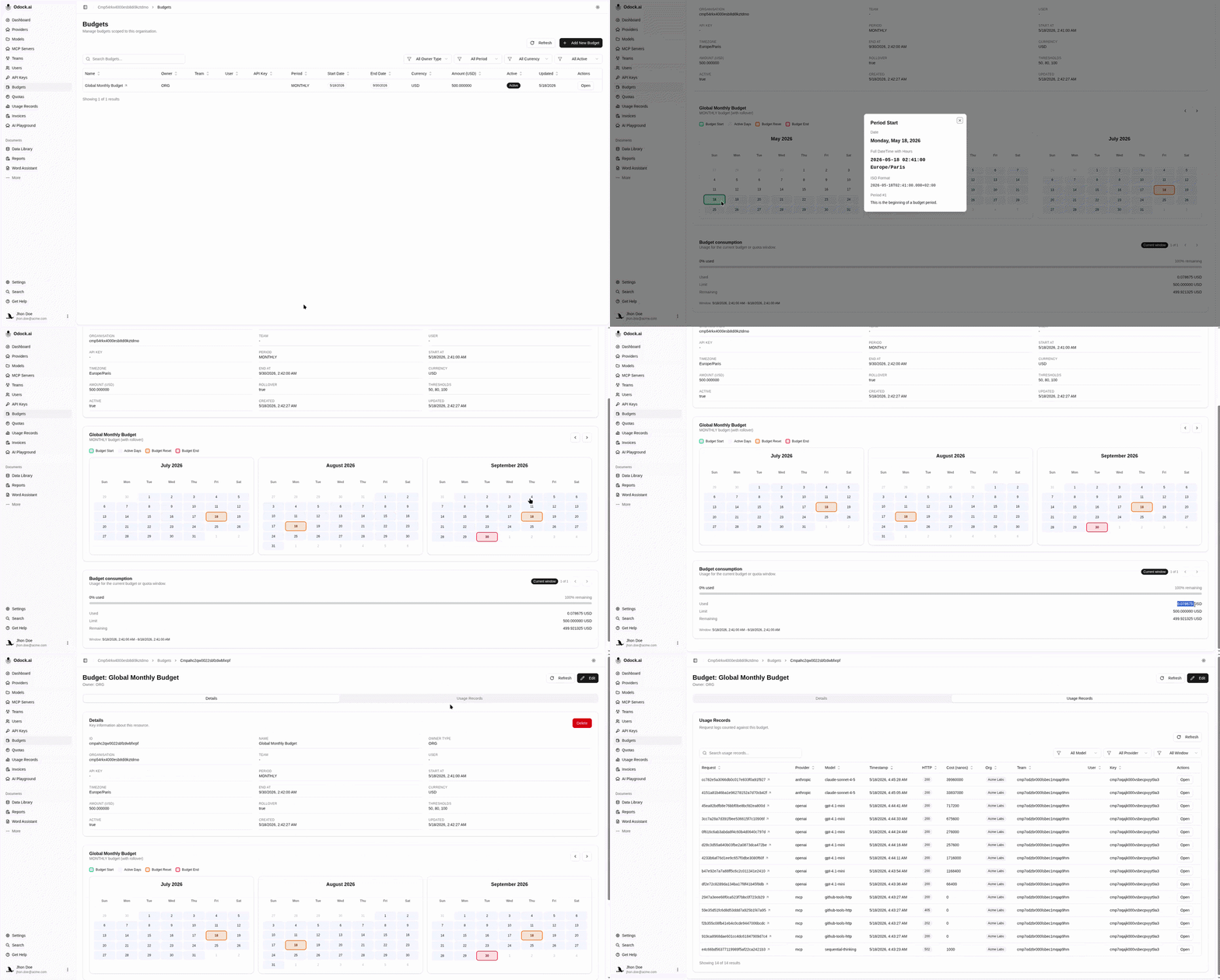
Open Budgets.
Filter by owner type, period, currency, or active state if needed.
Open the budget.
Review the Budget consumption card.

Use the previous and next controls to inspect older or newer windows.
Compare Used, Limit, and Remaining.
Scroll to Usage Records to inspect requests counted against the budget.
Open a usage record to inspect cost, model, provider, tokens, status, latency, and routing.
What To Check
| Question | Where to look |
|---|---|
| Which window is active? | Budget consumption card and schedule calendar. |
| Is there in-flight usage? | Reserved value in the window. |
| What actually spent the budget? | Usage Records section. |
| Was a routed model involved? | Usage record Routing card. |