

ManagementVirtual API Keys
Create an API key
Create a virtual API key from the organisation UI.
Create an API key
Use this workflow when you need a new runtime credential for an application, agent, or workflow.
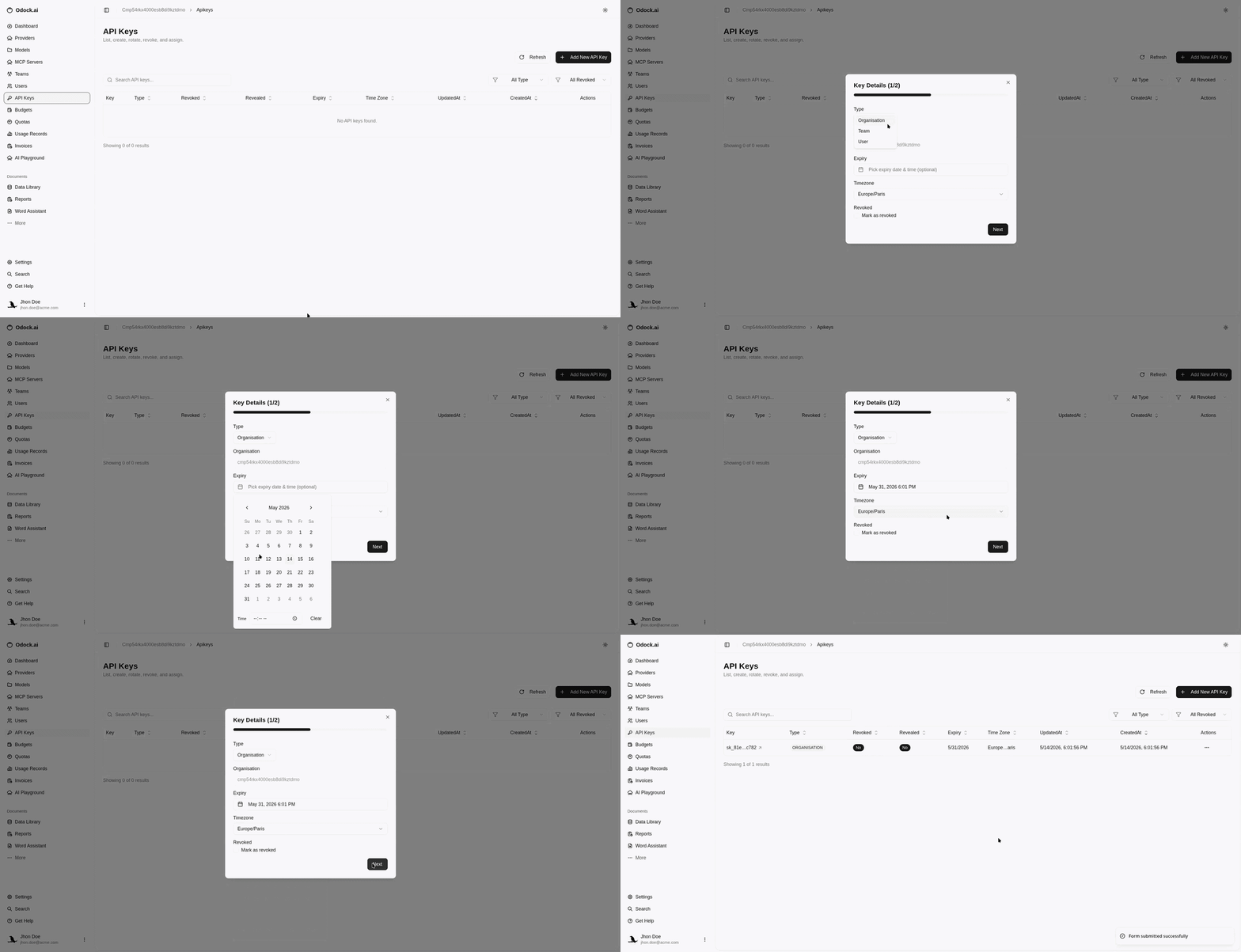
Open your organisation workspace.
In the sidebar, open API Keys.
Click Add New API Key.
Choose Type: Organisation, Team, or User.
If you choose Team, select the team. If you choose User, select the user.
Set Expiry if this key should stop working at a known date.
Set Timezone so expiry and time-based views match the owner context.
Leave Revoked unchecked for a usable key.
Create the key.
Reveal the key once and store it in your application secret manager.
Next Steps
After creating the key, reveal it, grant model access, grant MCP access, or attach budgets and quotas.