

Reveal an API key
Reveal the current virtual API key secret once and store it safely.
Reveal an API key
API keys are reveal-once secrets. When a key has not been revealed, the UI can show the full current secret once. After reveal, the key is marked as revealed and later reads return only a masked value.
After rotation, revealed is reset to false, so the newly generated secret can be revealed once.
Open your organisation workspace.
Open API Keys from the sidebar.
Find the key you want to reveal.
If the table row shows Revealed: No :
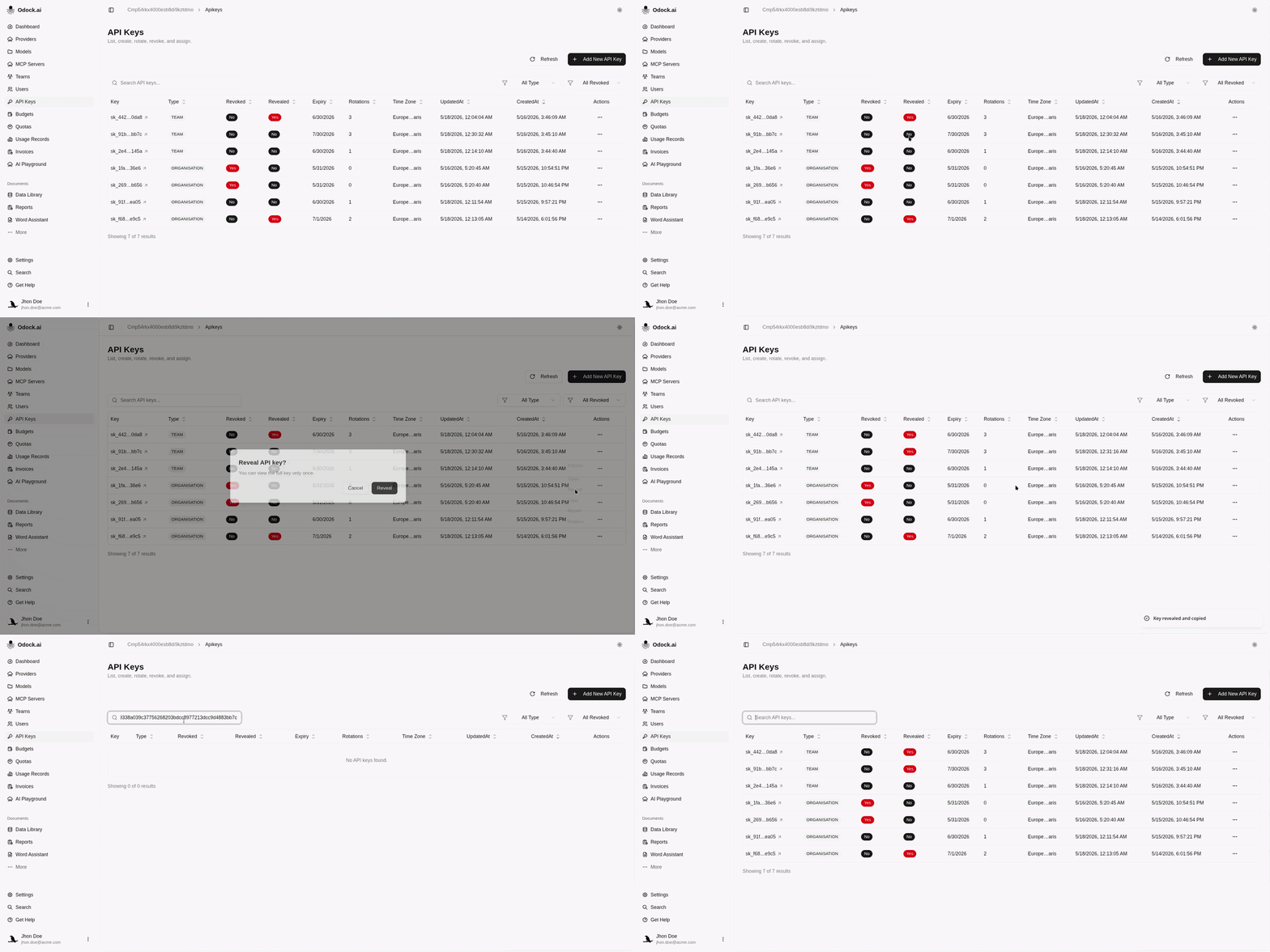
A : You eather click Reveal from the row actions the key will be copied automaticly:
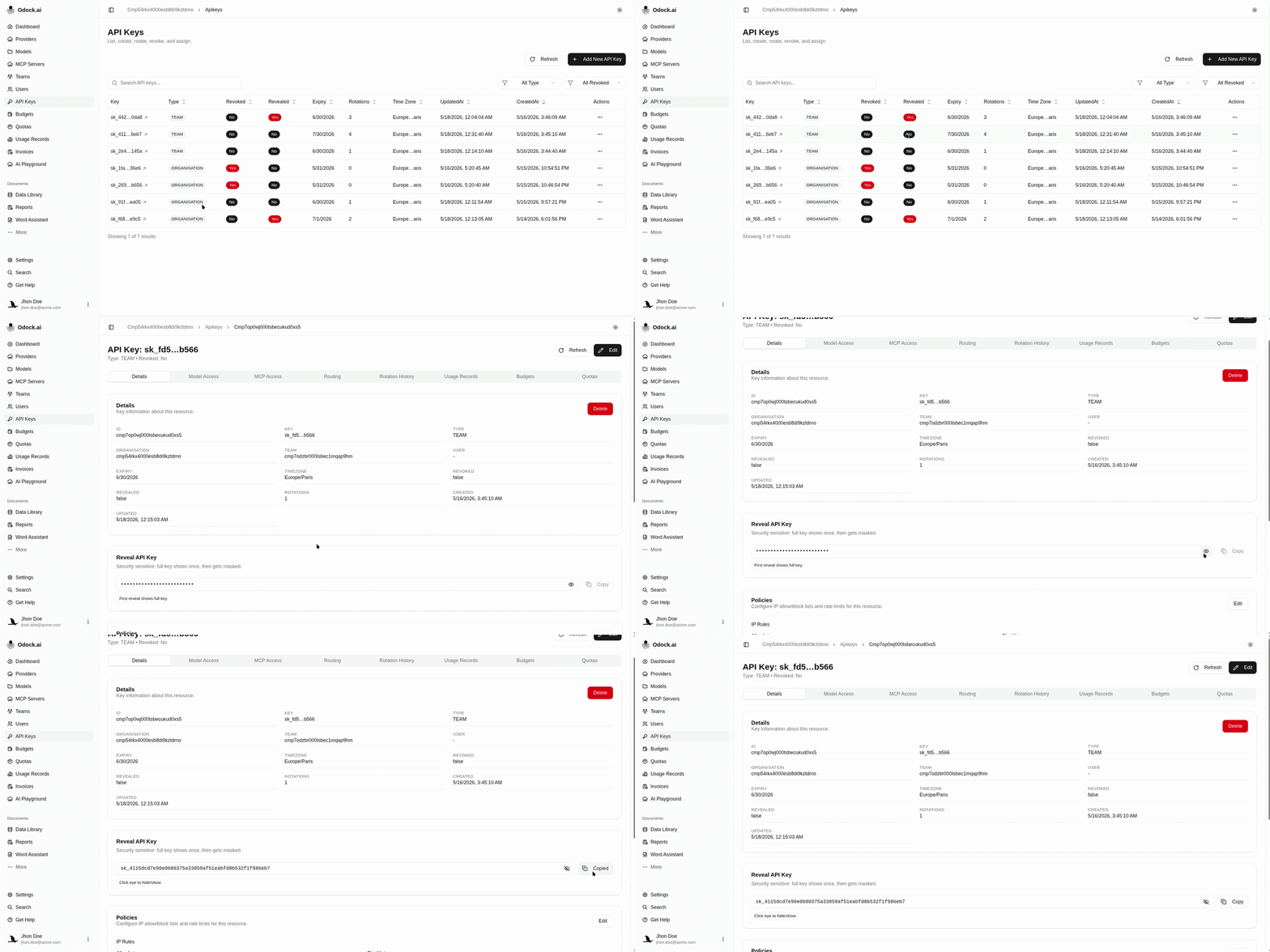
B : or open the key detail page and use the Reveal API Key card:
Confirm the reveal dialog if prompted.
Copy the full key value immediately.
Store it in your application secret manager, CI secret, or deployment secret.
Return to the API Keys table and confirm the key now shows Revealed: Yes.
If The Key Was Already Revealed
If the key was already revealed and the full secret is not available in your secret manager, rotate the key. Rotation generates a new secret on the same API key record and resets the reveal state so you can reveal the new secret once.