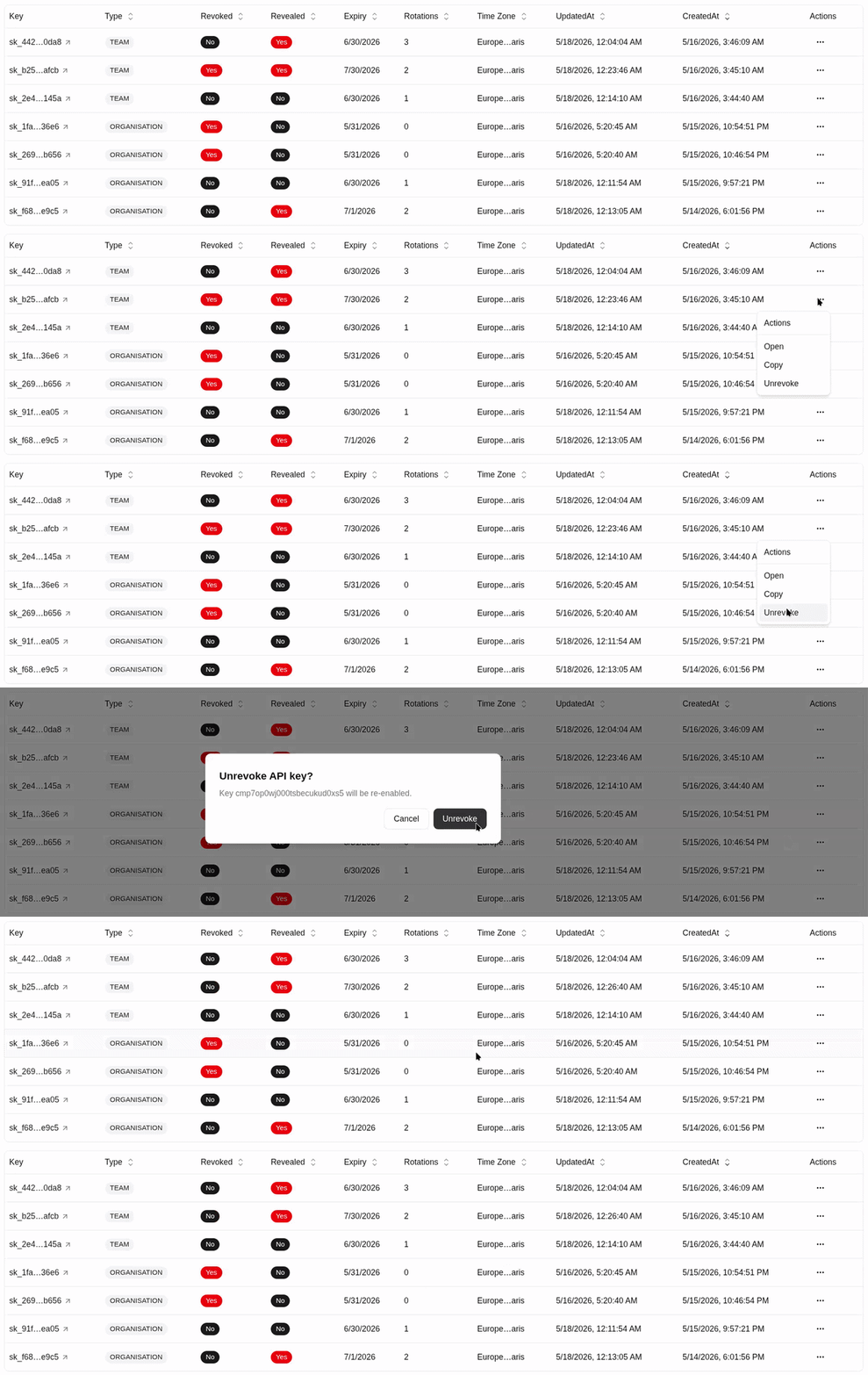
Revoke an API key
Disable a virtual API key so it can no longer make gateway calls.
Revoke an API key
Revoke a key when an application is retired, a key is compromised, a test key should stop working, or an owner should no longer have runtime access.
Revocation blocks new gateway calls from that key. Treat it as an immediate runtime control.
Revocation does not rotate or change the secret value. It marks the existing API key as revoked and invalidates gateway authentication and policy caches.
Open your organisation workspace.
Open API Keys from the sidebar.
Find the key you want to revoke.
Click Revoke in the key row actions.
Read the confirmation dialog and confirm the revoke action.
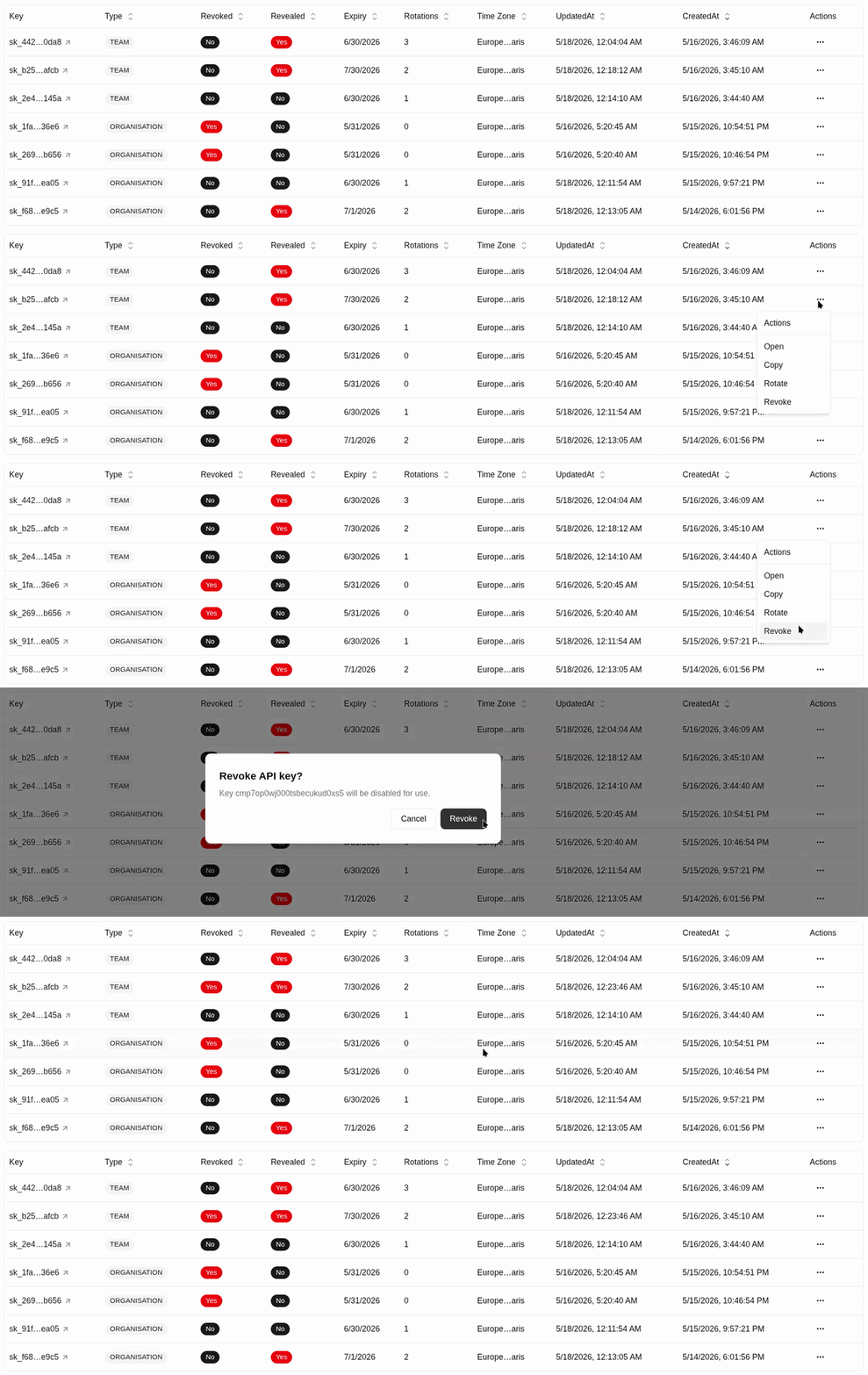
Verify the key row now shows Revoked: Yes.
Open the key detail page.
Review Usage Records to confirm no new requests are using the revoked key.
Remove the revoked key from application secret stores, CI variables, local .env files, and deployment settings.
When To Rotate Instead
If the application still needs to run, rotate the key instead of only revoking it. Rotation keeps the same API key ID and access configuration while replacing the secret. See Rotate an API key.
Re-enabling A Key
If a key was revoked by mistake and the UI offers Unrevoke, only re-enable it when you are sure the key value is still controlled and safe to use. Otherwise, create or rotate to a new key.
Revoked keys are not offered as rotation candidates in the table UI. If you need a usable key after revocation, either unrevoke only when safe or create a new key.