

Rotate an API key
Generate a new secret on the same API key record.
Rotate an API key
Rotate a key when it may be exposed, when ownership changes, when an expired key should be renewed, or as part of a planned credential rotation process.
Rotation happens in place. Odock keeps the same API key ID and generates a new secret value on that existing key. The old secret stops working, but the key keeps its model access, MCP access, routing policies, budgets, quotas, usage attribution, and detail page references.
Open your organisation workspace.
Open API Keys from the sidebar.
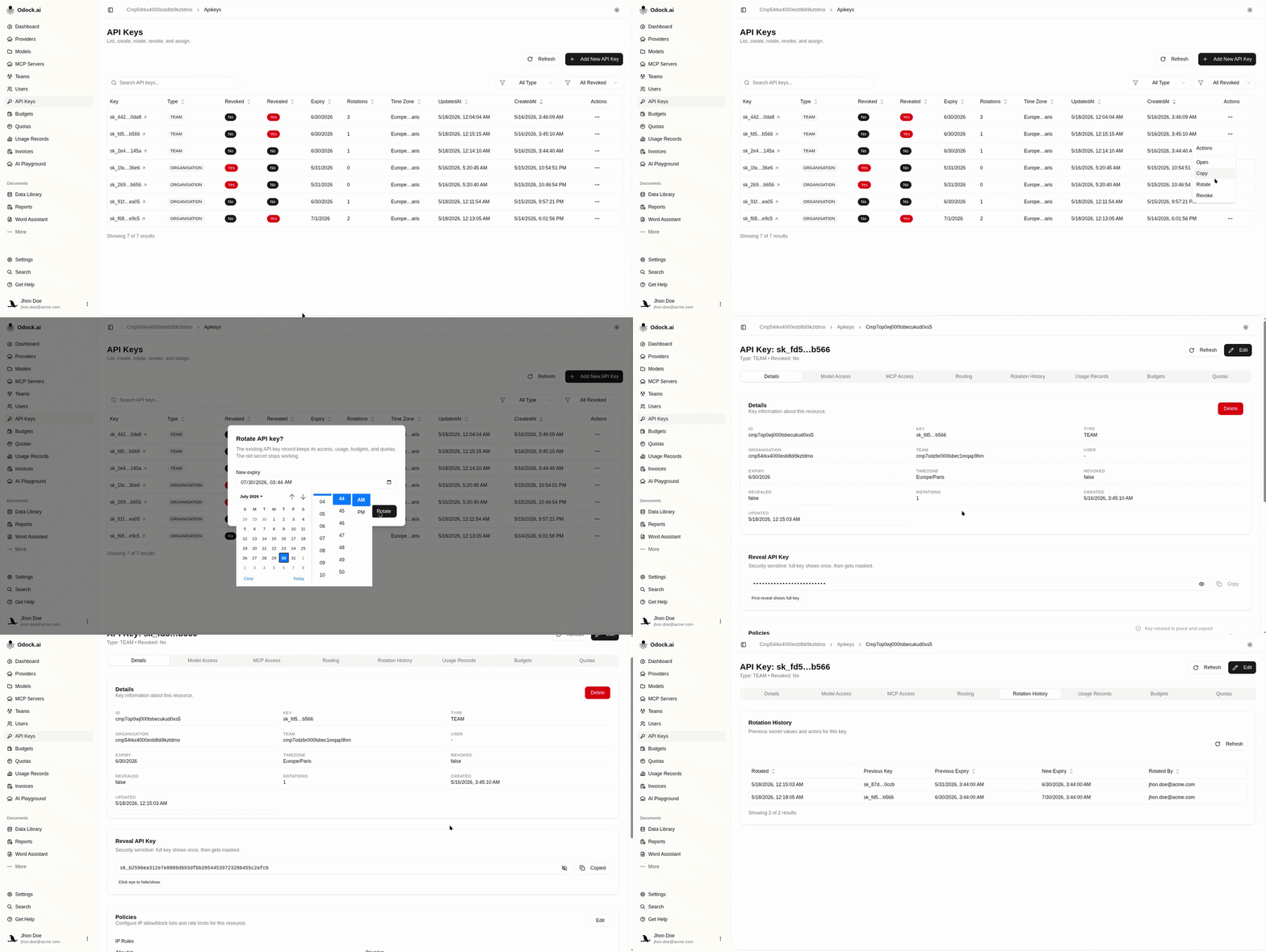
Find the key you want to rotate.
Click Rotate in the key row actions.
In the rotation dialog, choose a New expiry or Leave it empty for no expiry.
Click Rotate.
Copy the new key value when the UI shows or copies it. Rotation resets the key's reveal state, so the new secret can be revealed once.
Update the application secret or deployment secret that stores ODOCK_API_KEY.
Redeploy or restart the application so it uses the new key.
Open Usage Records and confirm new traffic is still attributed to the same API key ID.
Open the key detail page and review Rotation History for the rotation date, previous expiry, new expiry, and rotating user.
After Rotation
Check that the application secret was updated. The old secret should stop authenticating after gateway cache invalidation or cache expiry.
You do not need to recreate model access, MCP access, routing, budgets, or quotas. They remain attached because the API key ID did not change.
Expired keys can be rotated. Choose a future expiry or leave expiry empty. Past expiry values are rejected.