

ManagementVirtual API Keys
Grant model access
Allow a virtual API key to call configured models.
Grant model access
Use this workflow when you are setting up one API key and want to choose which models it can call.
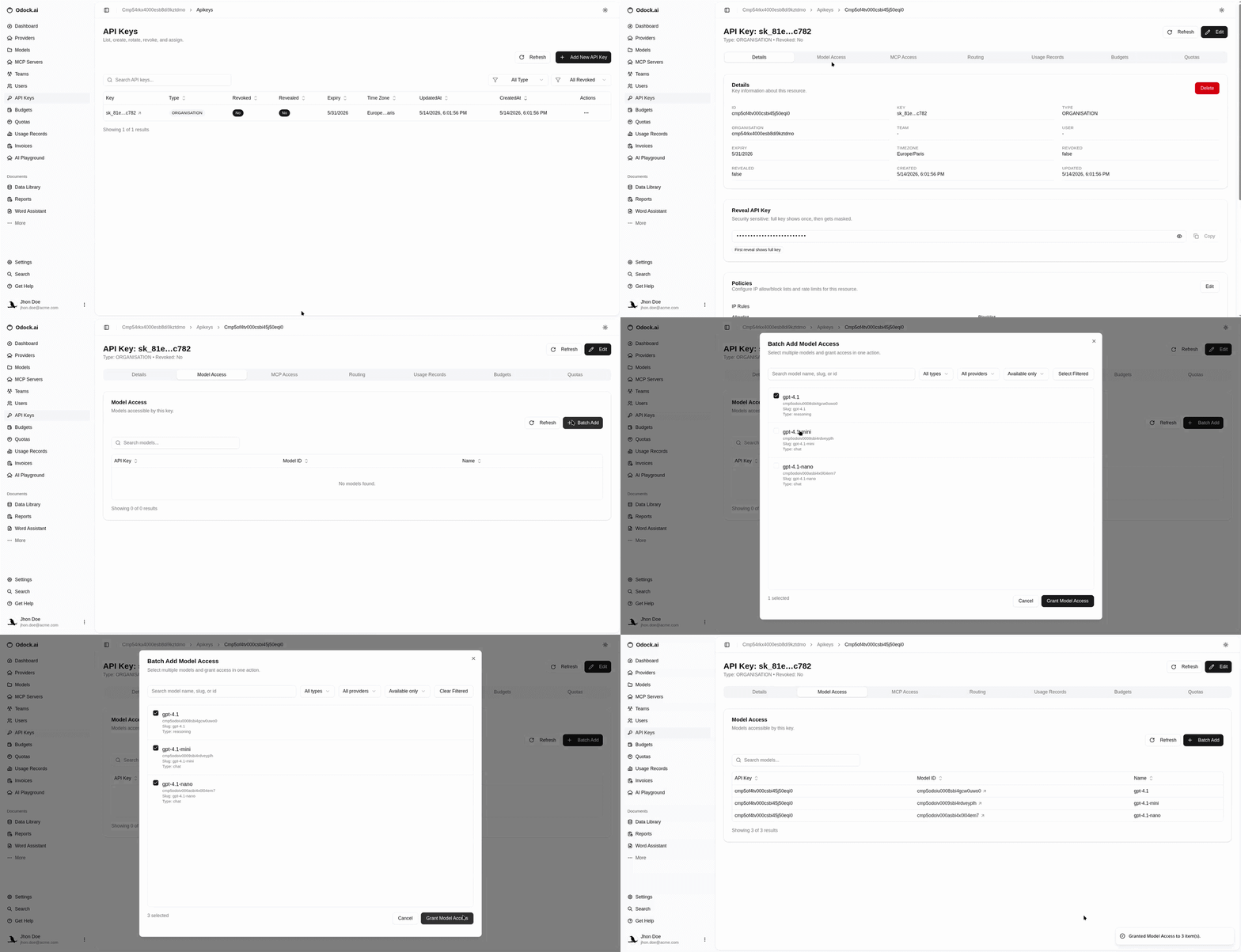
Open API Keys.
Open the key used by your application.
Scroll to Model Access.
Use the model access action to add models.
Search by model name, slug, type, provider, or id.
Select one or more models.
Confirm the grant.
Verify the selected models appear in the Model Access table.
Verify With A Call
Use the Odock model name in your request. If the model is not granted, the gateway should reject the request before the provider call.