

MCP
The busiest MCP tools and how they perform.
MCP
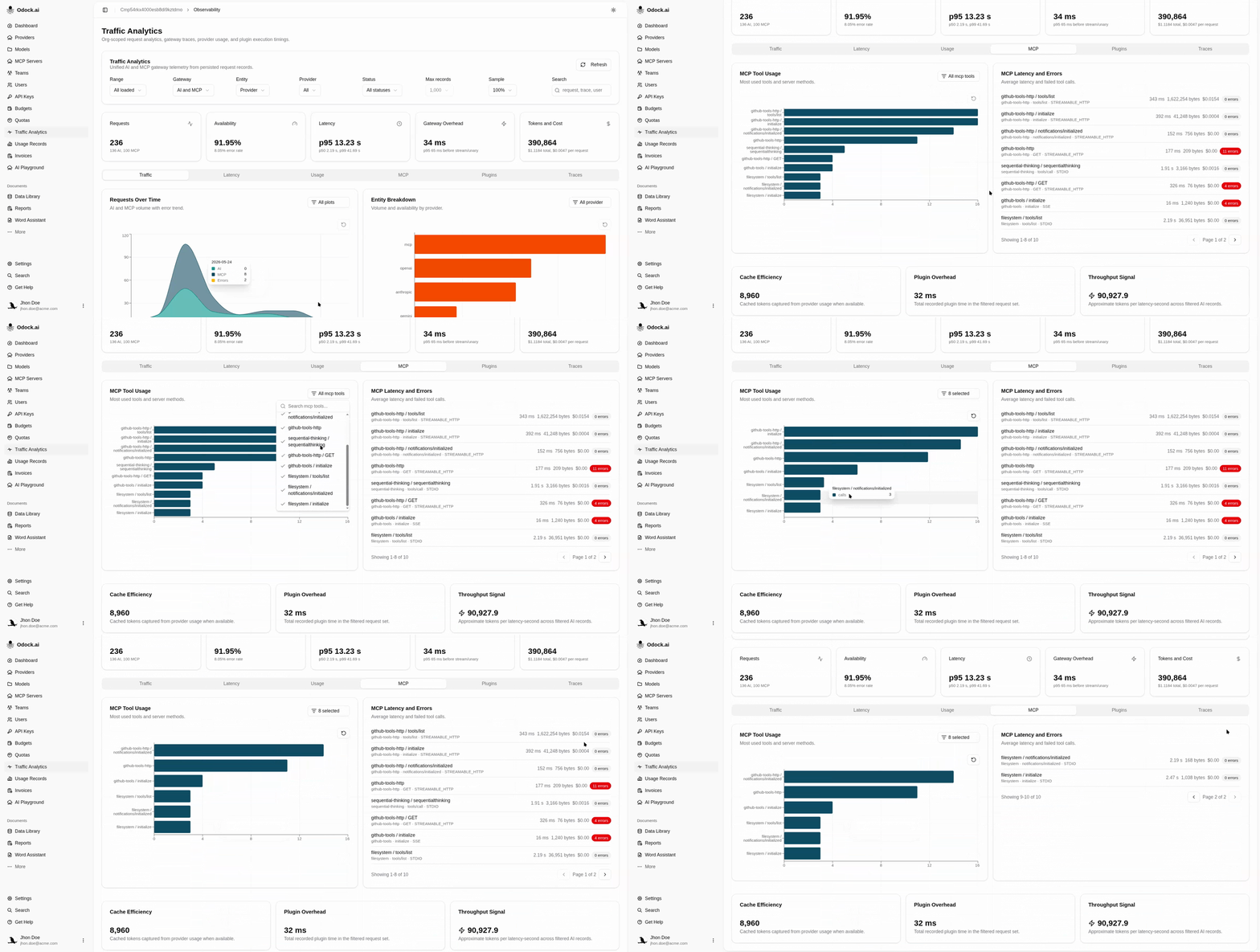
The MCP tab is the which tools are running, and how well view. It is computed only from MCP records.
Visualizations
| View | Answers |
|---|---|
| MCP Tool Usage | Which tools dominate? Bar chart of the top entries by call count. |
| MCP Latency and Errors | Are they healthy? A paginated list of the same entries with avg latency, byte volume, cost, and an errors badge. |
Entries are labelled {server} / {tool or method}. The transport and MCP server name appear in the sub-label so the same tool name on different servers is never ambiguous.
Workflow
Set the Gateway filter to MCP only.
Look at MCP Tool Usage to spot the dominant tools.
Scan the latency list for any tool with a high Avg latency or a non-zero Errors badge.
Open one offending request from the Traces tab or from Usage Records to inspect the MCP-specific fields.
Tips
A tool that dominates Bytes but not Calls is usually pulling large resources. Consider whether the upstream MCP server should compress them or whether the integration should request only what it needs.