

Traffic Analytics
The organisation dashboard for trends, percentiles, hot tools, hot plugins, and traceability.
Traffic Analytics page
The Traffic Analytics page in the organisation workspace is the dashboard view of your gateway traffic. It is built on top of the same usage records you see on the Usage Records page, but aggregated into charts, KPIs, and tabs.
Use this page when you want the shape of traffic. Use Usage Records when you want a specific request.
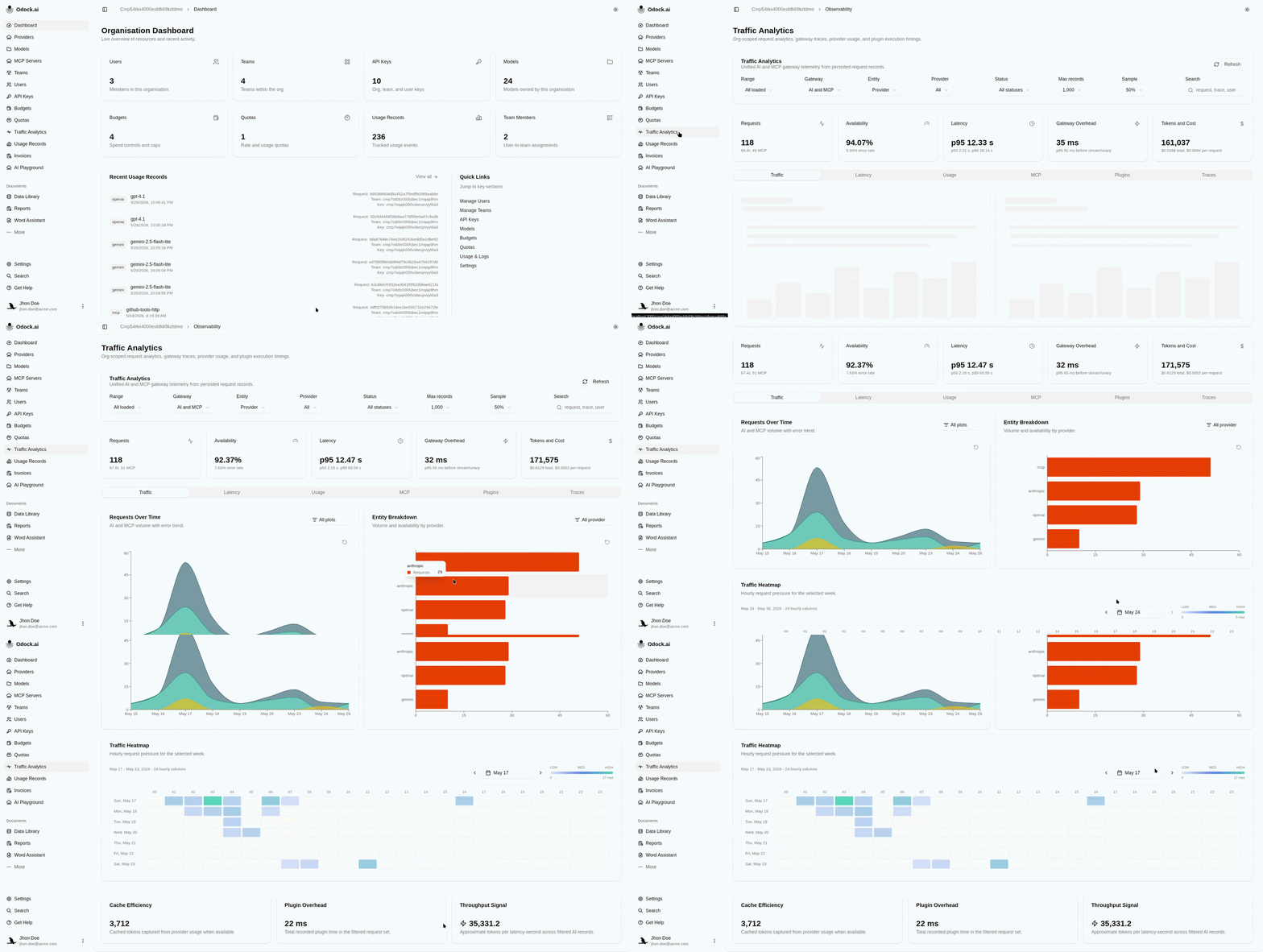
KPI Cards At A Glance
| Card | Reads |
|---|---|
| Requests | Total calls in the slice, split into AI and MCP. |
| Availability | Success rate. Error rate in the caption. |
| Latency | p95 of the call latency. p50 and p99 in the caption. |
| Gateway Overhead | Average time spent in Odock before the upstream call began. p95 in the caption. |
| Tokens and Cost | Token total and cost in USD, with cost per request. |
The Gateway Overhead card exists so you can tell the model is slow from the gateway is slow. A high overhead with healthy latency usually points at a plugin or safety module — see Plugins.
Tabs Overview
The page is anchored by a shared filter bar and KPI cards, then split into six tabs. Each tab answers a different operational question.
| Tab | What it shows | Why you use it |
|---|---|---|
| Traffic | Request volume over time, breakdowns by gateway and entity, and where traffic is coming from. | Understand overall demand, spot spikes, and see which teams, keys, or gateways are driving traffic. |
| Latency | Response time trends, percentile latency, and where slow requests concentrate. | Find tail latency, confirm whether slowness is broad or isolated, and see when performance degrades. |
| Usage | Tokens, cost, and token-to-latency patterns across the selected range. | Track spend and model usage, compare efficiency, and understand how traffic translates into cost. |
| MCP | MCP tool activity, throughput, and latency by tool. | See which tools are busiest, which ones are slow, and where MCP performance is affecting requests. |
| Plugins | Plugin runtime, frequency, and error behavior. | Identify plugins adding overhead or failing often, and separate gateway/plugin delay from model delay. |
| Traces | A request-level table with traceability fields and request metadata. | Jump from trends back to specific requests when you need to investigate a particular failure or slow call. |
Footer Cards
Three small cards at the bottom of the page:
- Cache Efficiency — total cached tokens captured by the loaded set, for providers that report cache hits.
- Plugin Overhead — total plugin runtime across the loaded set.
- Throughput Signal — a rough tokens-per-latency-second indicator for AI traffic. Useful as a baseline that should trend up over time.
Difference From Usage Records
| Aspect | Traffic Analytics page | Usage Records |
|---|---|---|
| Audience | Trend and shape | Audit and reconciliation |
| Sampling | Yes, configurable | No — every record in the filter |
| Granularity | Aggregated | Per request |
For exact counts and exact spend, use the Usage Records analytics card.
Pages In This Submenu
- Filters and scope: the filter bar, sampling, and refresh.
- Traffic: how much traffic and where it comes from.
- Latency: how slow it is and when the tail fires.
- Usage: tokens, cost, and tokens vs latency.
- MCP: the busiest MCP tools and how they perform.
- Plugins: per-plugin runtime and health.
- Trace a request: the Traces tab — a per-request table for cross-surface investigation.