User ManagementUsers
Add a New User
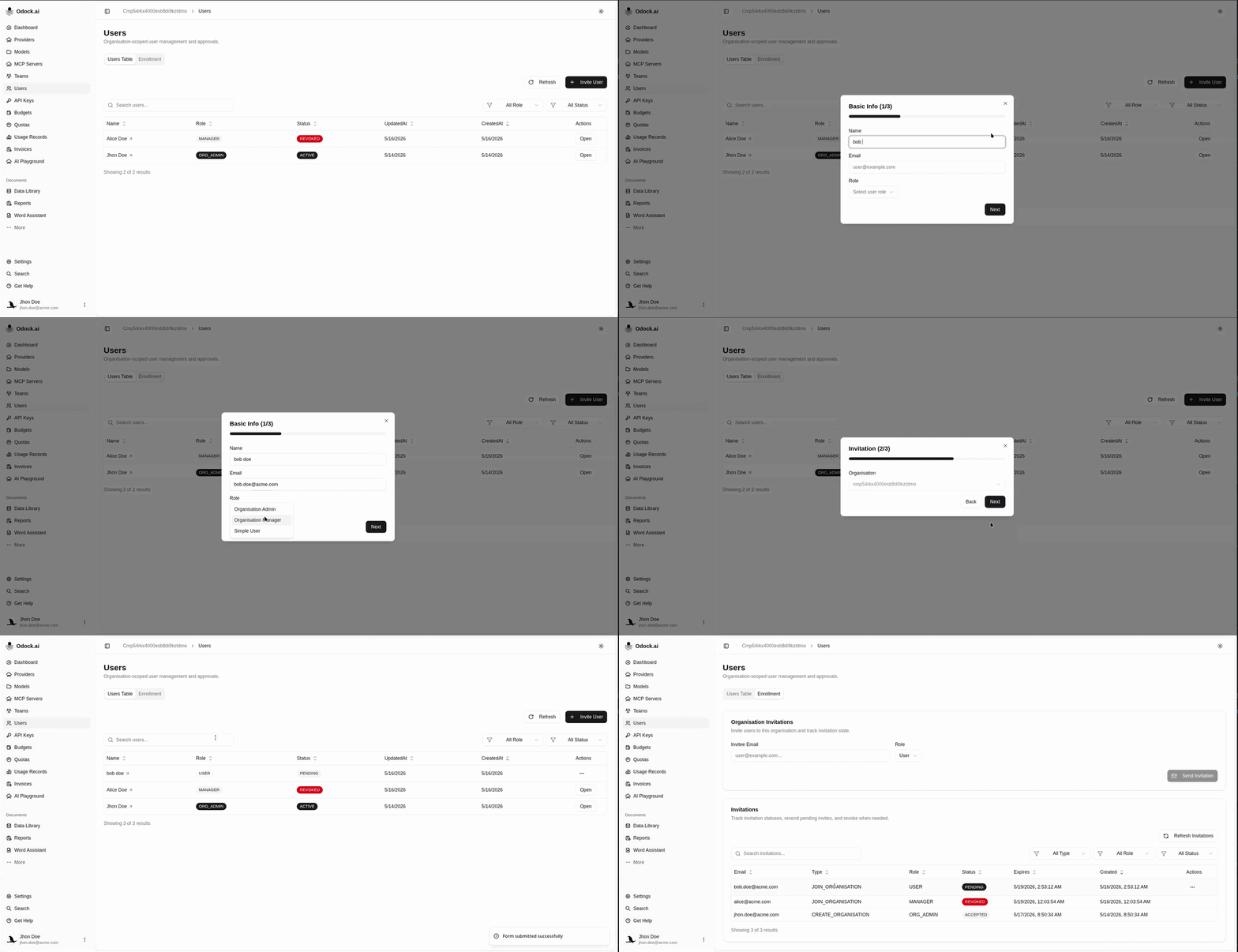
Create a user directly from the Users Table when direct creation is available.
Add a New User
Some organizations use invitation-only onboarding. Others also allow direct user creation from the Users Table.
Use direct creation when the account should exist immediately in the workspace. Use invitation enrollment when the user should activate access themselves and confirm their profile.
Open Users.
Stay on the Users Table tab.
Click Invite User.
Pre-fill the form with the user’s information, such as Name and Email.
Choose the user’s Role.
An invitation will be sent to the user’s email address.
Submit the form and confirm that the user appears in the table.
The user will become active after confirming the invitation and verifying their information.