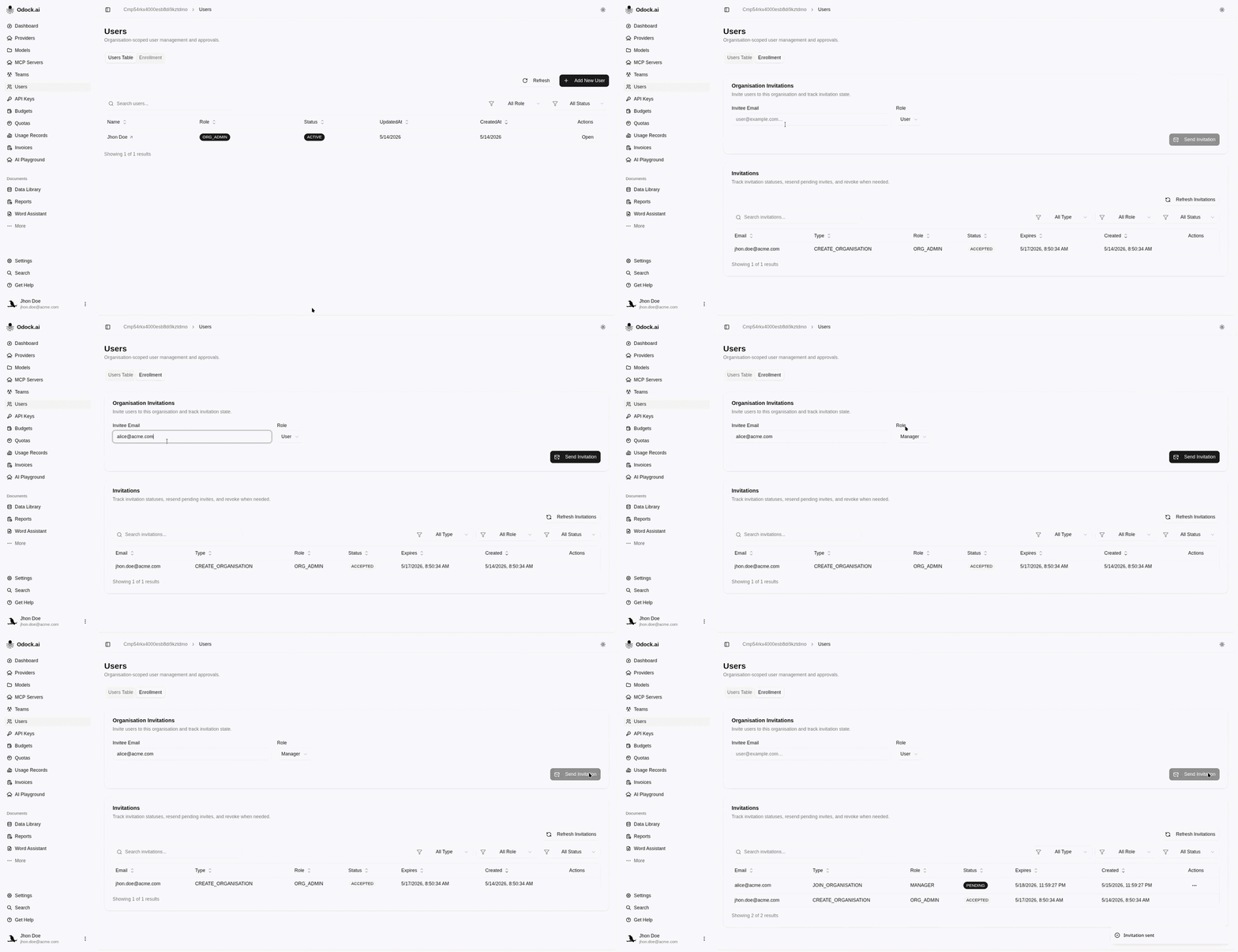
User ManagementUsers
Invite A User
Send an organisation invitation from the Enrollment tab.
Invite A User
Use invitation enrollment when the user should activate access themselves and confirm their profile.
Open your organisation workspace.
Click Users in the sidebar.
Open the Enrollment tab.
In Invitee Email, enter the user's email address.
In Role, choose Organisation Admin, Manager, or User.
Click Send Invitation.
Confirm the invitation appears in the Invitations table.
Use Refresh Invitations if you need to check whether the invitee has accepted.
Choose the initial role carefully. The invitee receives that role when the invitation is completed.