User ManagementUsers
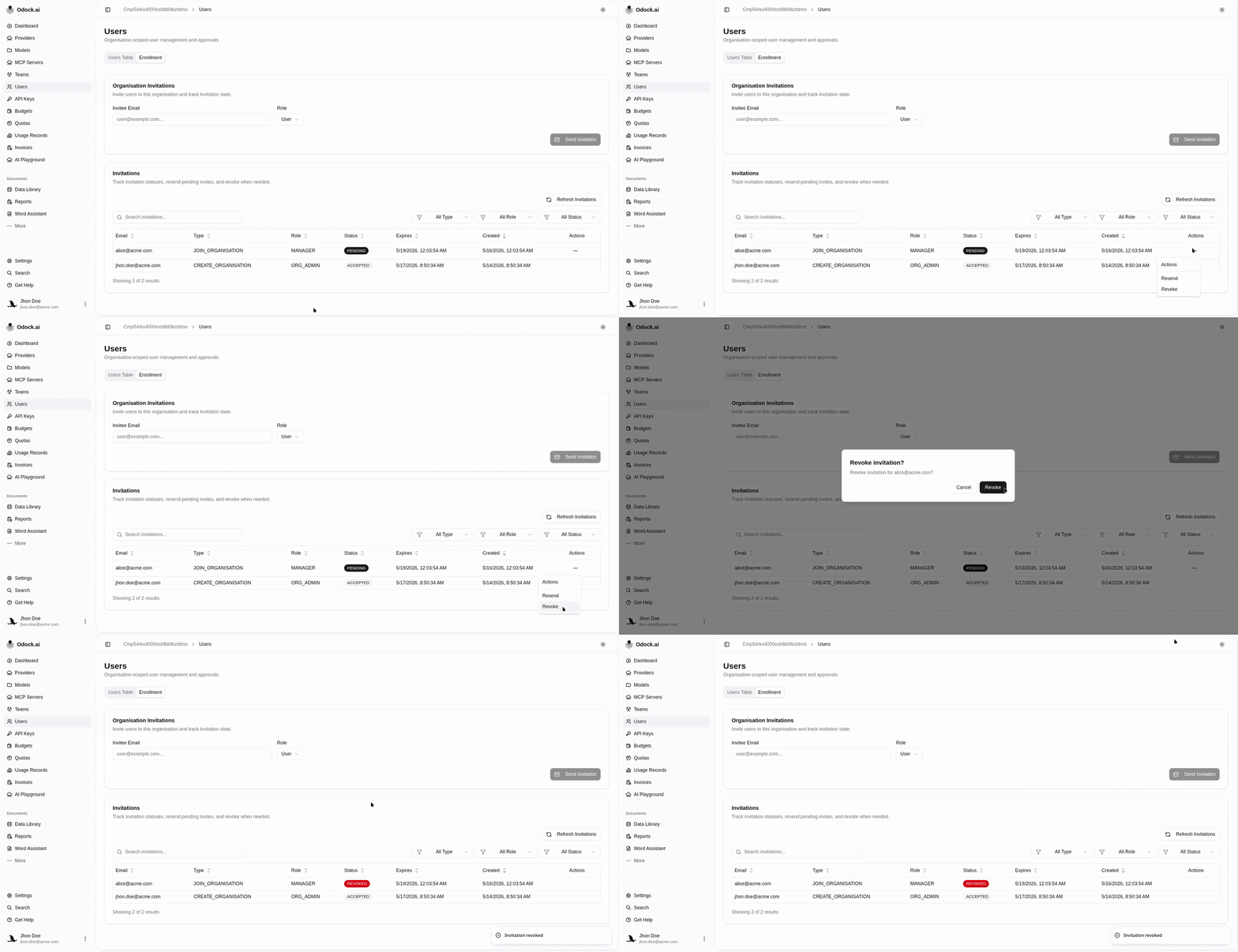
Revoke An Invitation
Prevent a pending invitation from being accepted.
Revoke An Invitation
Revoke an invitation when it was sent to the wrong person or access should no longer be granted.
Open Users.
Open the Enrollment tab.
Find the pending invitation.
Use the Revoke action.
Confirm the revocation in the dialog.
Confirm the invitation status changes and the old link can no longer be used.