User ManagementUsers
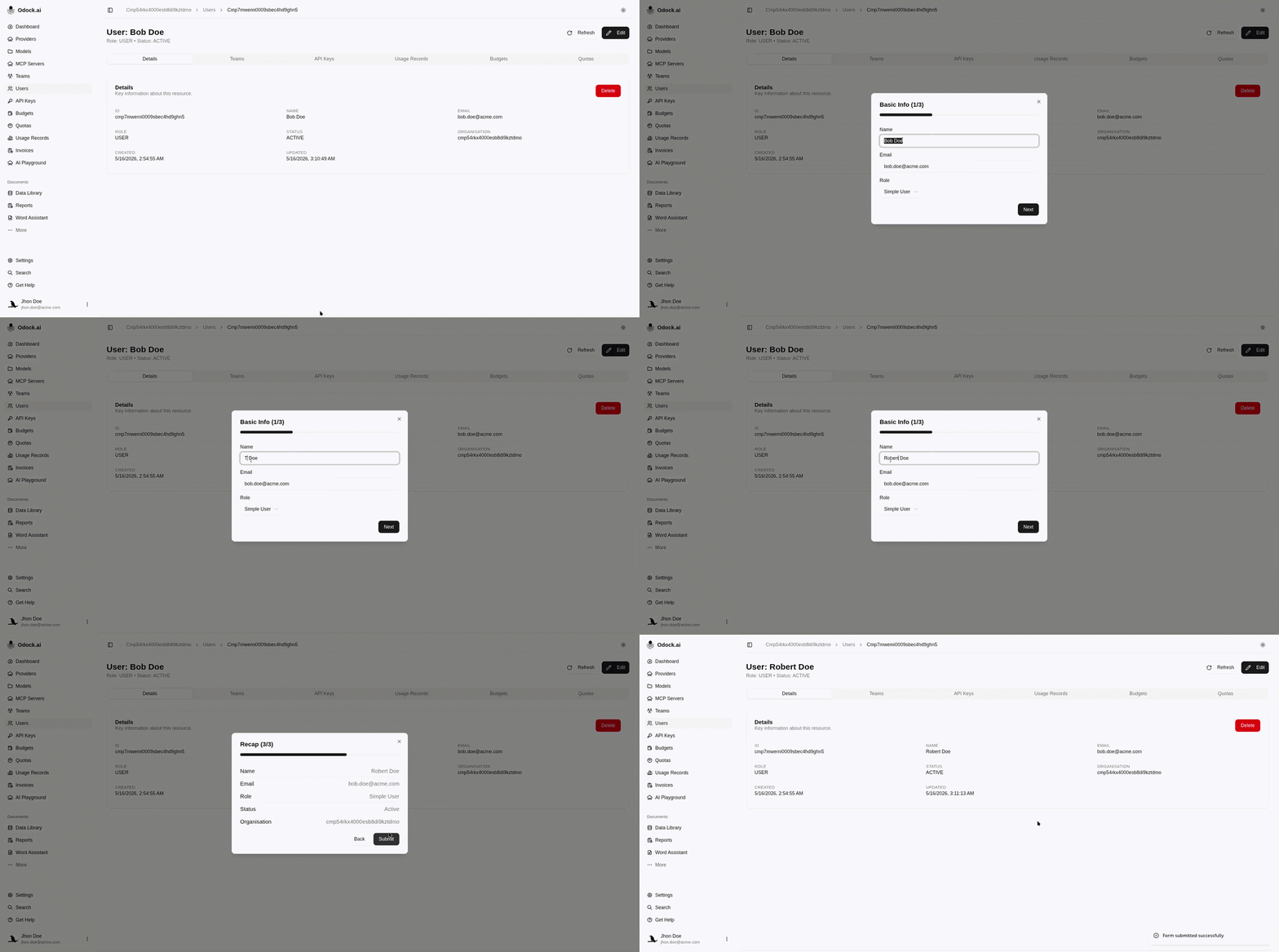
Edit A User
Update allowed user profile, role, status, or organisation fields.
Edit A User
Role and status changes affect what the person can do in the UI. After changing a user's role, review their team memberships and owned credentials.
Open Users.
Click Open on the user row.
Review the profile fields.
Click the edit action on the detail page.
Update allowed fields such as name, role, status, or organisation assignment.
Click Save Changes.
Confirm the updated values appear on the user detail page.