User ManagementUsers
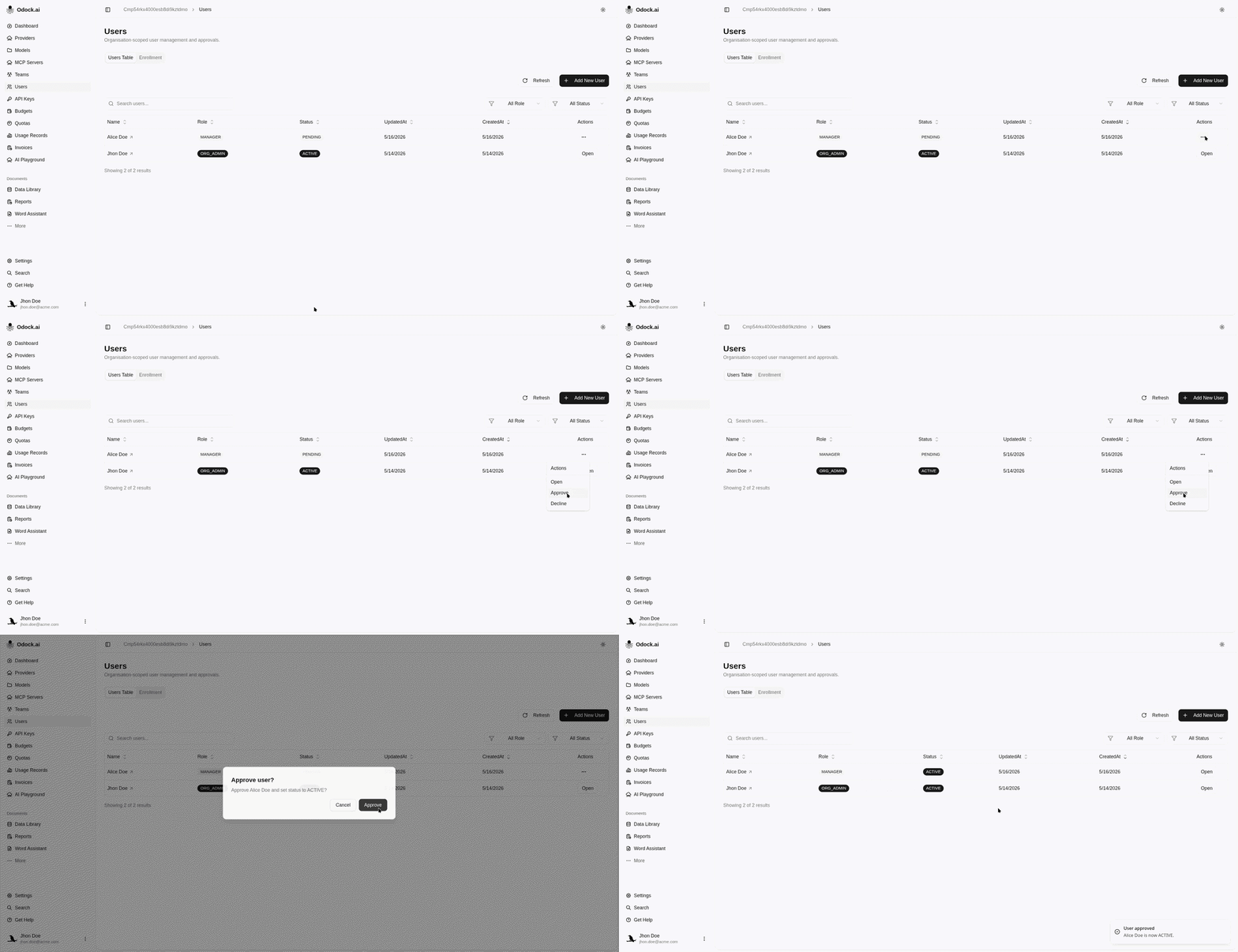
Approve Or Decline A Pending User
Review a pending user and decide whether to activate or revoke access.
Approve Or Decline A Pending User
Use this workflow when a user appears in the table with PENDING status.
Open Users.
Filter Status to PENDING.
Review the user row.
Click Approve to set the user active, or Decline to revoke the pending access.
Confirm the action in the dialog.
Refresh the table and verify the status changed.